Need help?
Do you have a question about the Vangoa VGK6200 and is the answer not in the manual?
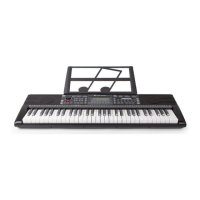
Explains how to connect the power adapter and use the keyboard.
Details the various output and input ports on the keyboard for audio and connectivity.
Instructions on turning on/off the keyboard and adjusting the master volume.
Guidance on how to play the built-in internal demo songs.
How to choose from the available 300 rhythms using the selection function.
Instructions on how to start and stop the rhythm playback.
How to increase or decrease the tempo of the selected rhythm.
Utilizing single finger and fingered chord functions for accompaniment.
Activating the Hyperresonant effect while playing rhythm patterns.
How to play corresponding percussion effects using the keyboard.
Instructions on how to record your musical performance.
How to play back the audio that has been recorded.
Instructions for playing MP3 files stored on a USB flash drive.
Connecting to pads or smartphones for enhanced teaching functions.
Selecting songs for step-by-step learning and guidance.
Explanation of 'Following' and 'Ensemble' teaching modes.
Instructions for keeping the keyboard clean and dry.
Guidelines for handling the keyboard carefully to prevent damage.
Precautions to avoid contact with corrosive substances.
Advice against modifying or disassembling the instrument.
 General
| Brand | Vangoa |
|---|---|
| Model | VGK6200 |
| Category | Musical Instrument |
| Language | English |

 To Next Page