10
MULTIMEDIA CONNECTION
USB Disk Connection
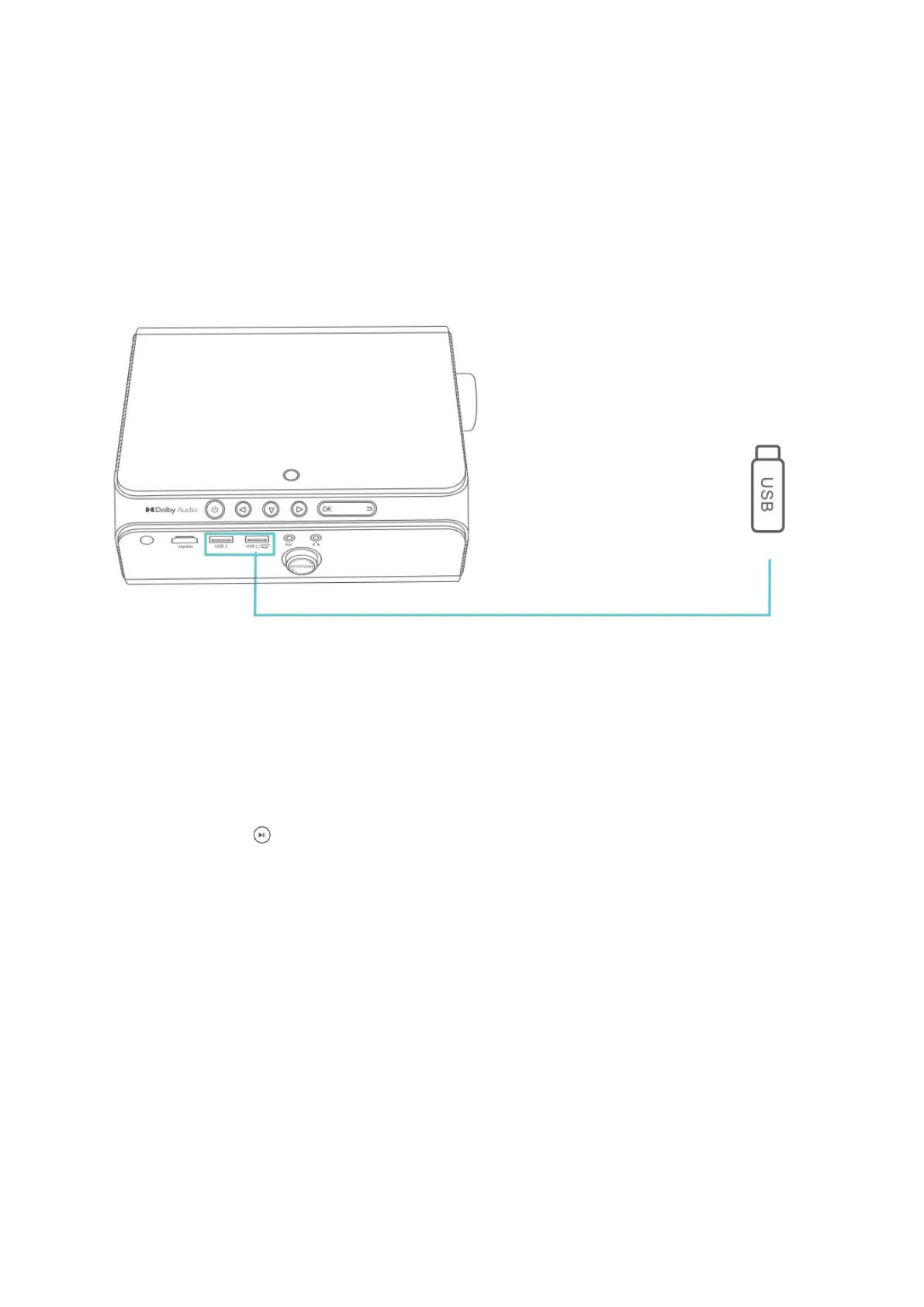
Step 1: Turn on the projector and insert your USB disk into the USB 1/USB 2 port of the
projector.
Step 2: Go to Homepage > Multimedia and select the file category you would like to
display among MOVIE, PHOTO, MUSIC and TEXT, then enter the inserted USB Disk to
check all files stored.
Step 3: To play a video movie file, please follow the below steps:
• Select MOVIE in the MultiMedia interface to correspondingly read video files
stored.
• Press OK / on the projector/remote for a certain video file to enter full-screen
display.
• Press OK on the projector or press OK/Menu on the remote when playing back a
video to bring up the toolbar to control the video playing.
Note:
Operation for playing a photo file, a music file and a text file is the same with that for
playing a video file, but please make sure to select the correct file category; that is, for
playing a photo file, select Photo in MultiMedia interface, likewise, for music, select
MUSIC, for text, select TEXT.













 To Next Page