17
BLUETOOTH CONNECTION
The projector support connection with Bluetooth audio devices (typically Bluetooth
speaker/earphones/soundbars). It allows you to ger good-quality audio output from a
streaming device or other video source.
• Make sure the Bluetooth audio device is ready to pair.
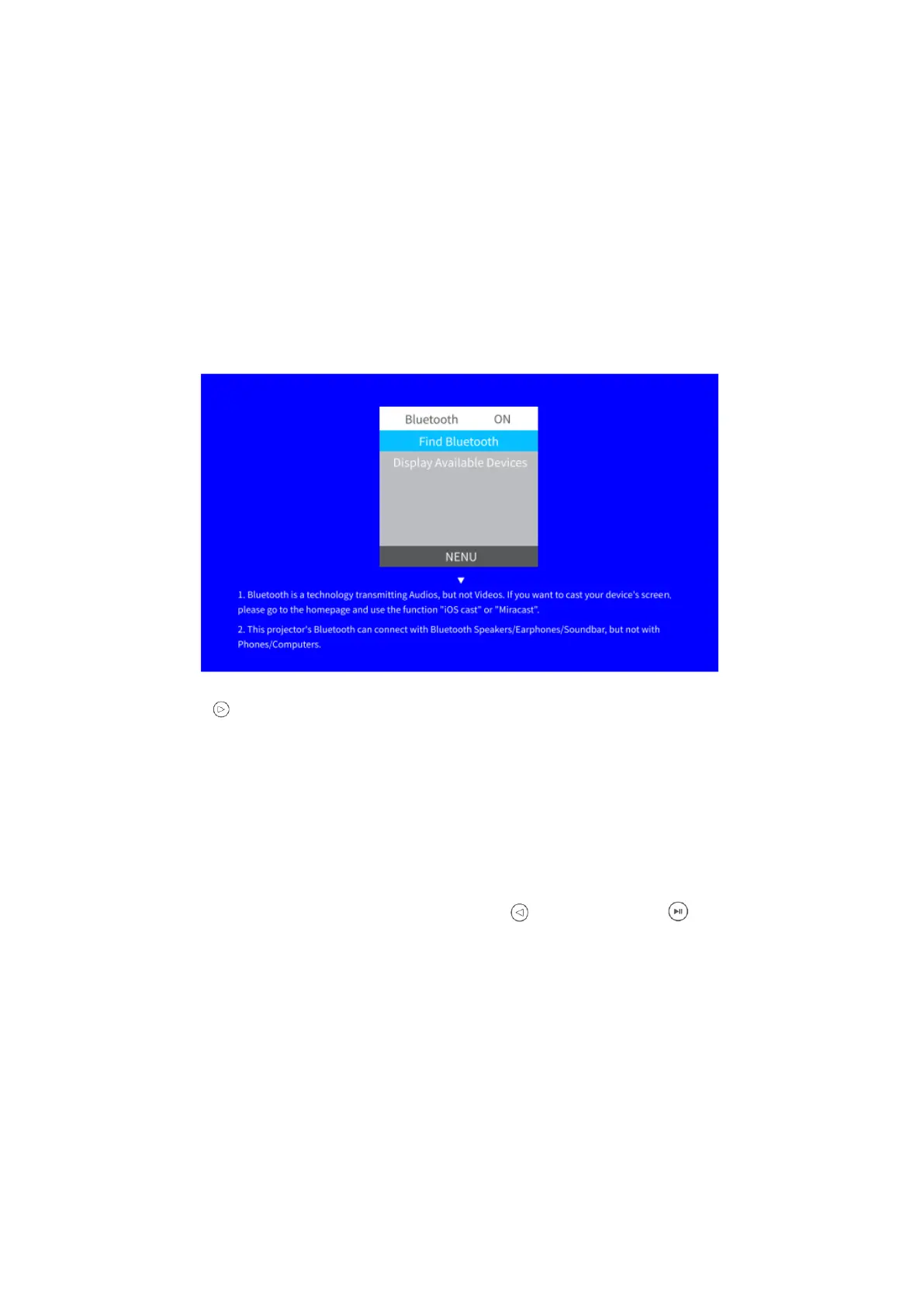
• Go to Homepage > Setting, then enter Connection Setting > Bluetooth to access
the following interface.
• Press to turn on Bluetooth of the projector and search for the Bluetooth audio
connect.
• After a successful connection, the Bluetooth icon on the Homepage will light up.
Notes:
• When a Bluetooth audio device is paired with the projector, the built-in speaker
system and Audio Out port pf the projector are disabled.
• To turn off Bluetooth of the projector, please go to Homepage > Setting >
Connection Setting > Bluetooth, then press or you can press on the remote
to quicky turn off the Bluetooth in the course of screen mirroring.
SETTING
Settings for Screen Mirroring Module
Go to Homepage > Input Source, select MULTISCEEN as the input source to enter the
CAST interface, then enter Cast Settings to access setting options exclusive for screen
mirroring module.













 To Next Page