20
Auto Sleep Timer
Set the time duration for the projector to turn off automatically. Options include Never,
4Hours, 6Hours and 8Hours.
3. Connection Setting
WiFi Setting
Connect the projector to your router´s WiFi.
Bluetooth
Turn on to search and connect the projector to any Bluetooth audio device (typically
Bluetooth speakers/earphones/soundbars) and get good-quality audio output.
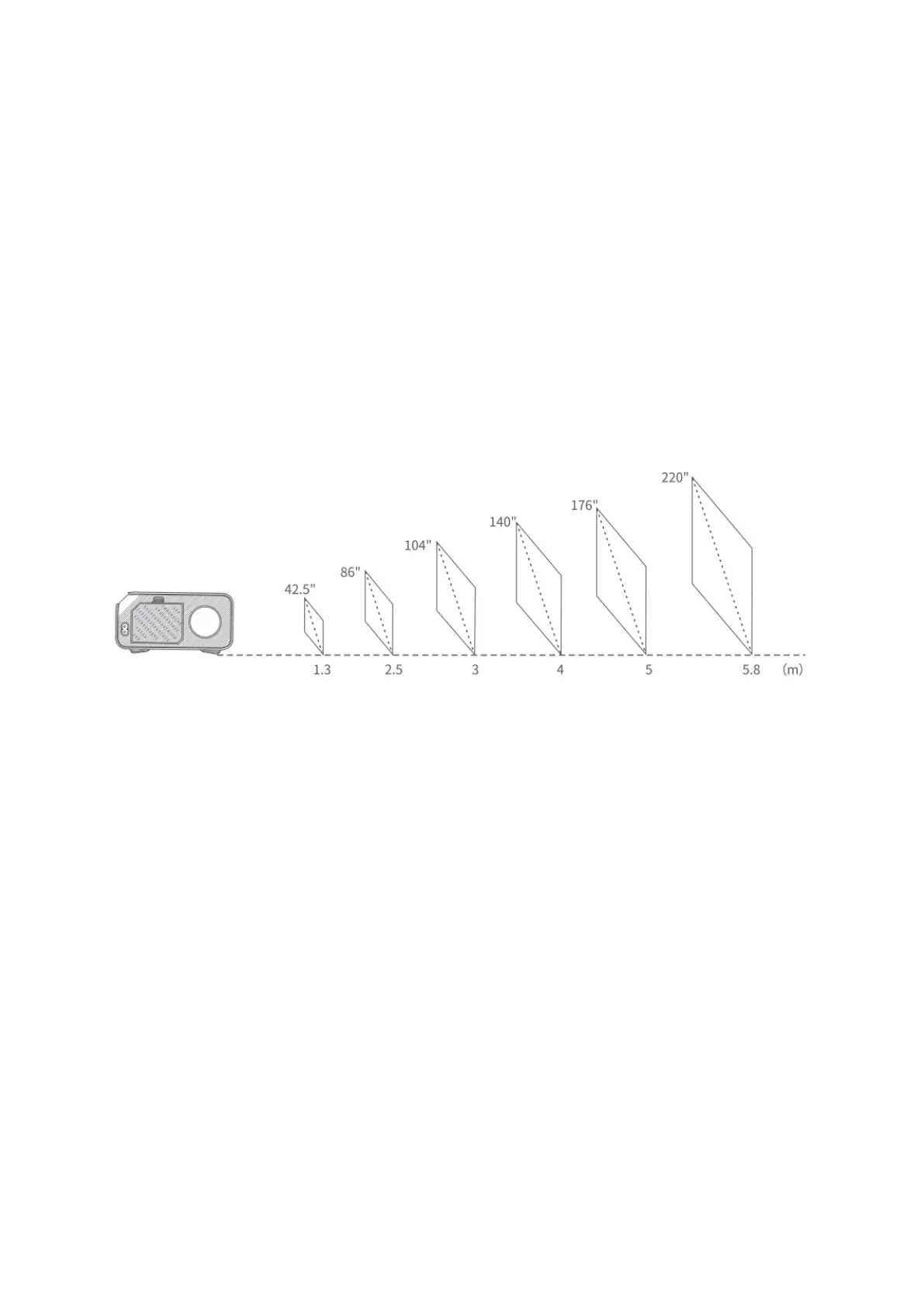
PROJECTION DISTANCE&SIZE
• The recommended projection distance varies with different projection contents.
Please adjust the distance between the wall/screen and the projector properly as
needed.
• Ambient darkness will improve the clarity of the projected images.













 To Next Page