SCREEN MIRRORING
For iOS System
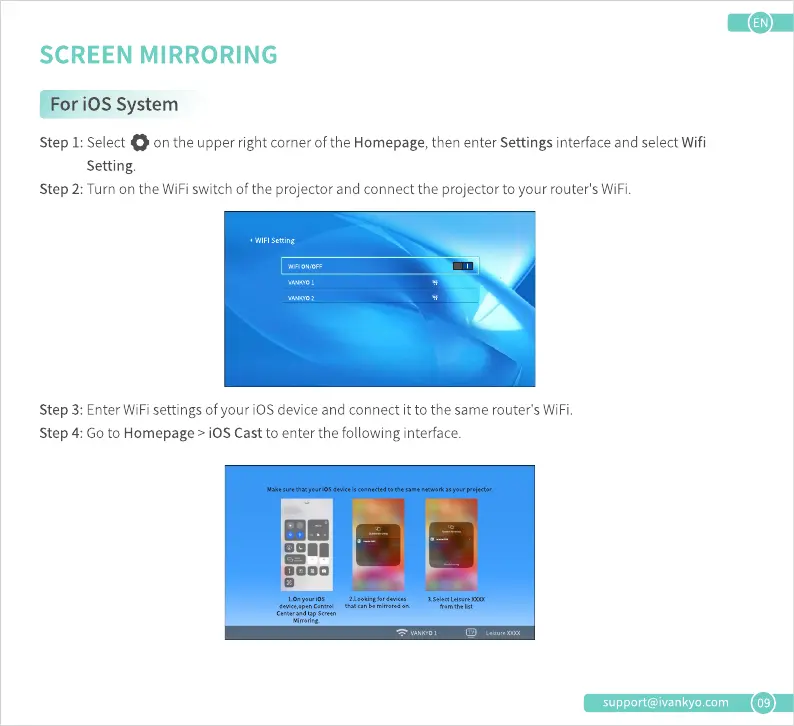
Step 1: Select
on the upper right cornerof the Homepage,then enter Settings interface and selectWifi
Setting.
Step2: Turn on the WiFiswitch of the projector and connect the projector to your router'sWiFi.
. WIFI setting
Step 3: Enter WiFi settings of your iOS device and connect it to the same router's WiFi.
Step 4: Go to Homepage > iOS Cast to enter the following interface.
Make iOSdaice is to "me oroj«tor.
0000
Control list
support@ivankyo.com
09











 To Next Page