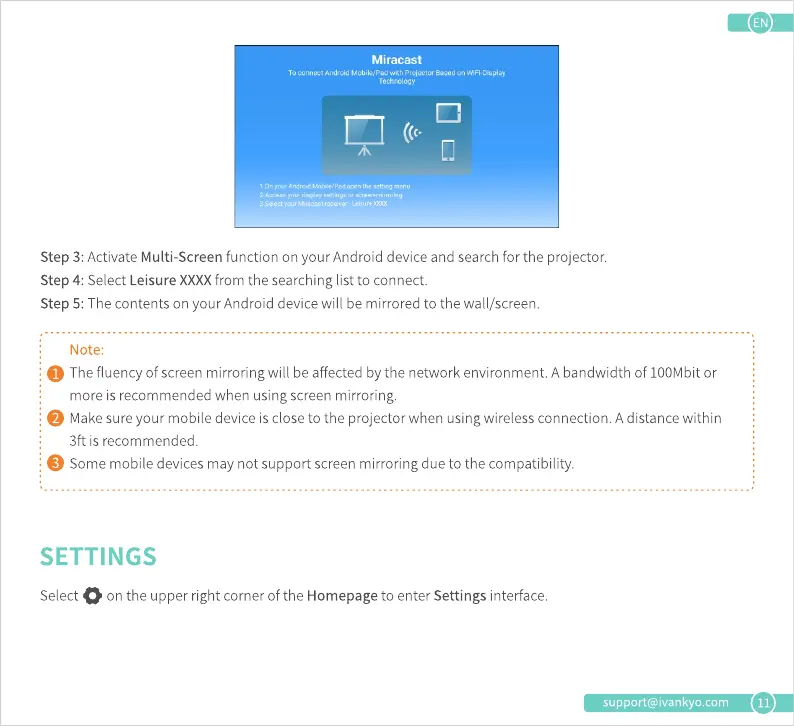
Miracast
TO with WiFi•Oisplay
Step 3: Activate Multi-Screen function on your Android device and search for the projector.
Step 4: Select Leisure XXXXfrom the searching list to connect.
Step 5: The contents on your Android device will be mirrored to the wall/screen.
Note:
O Thefluencyofscreenmirroringwill beaffectedbythenetworkenvironment.Abandwidthof 100Mbitor
more is recommended when using screen mirroring.
O Makesureyour mobiledeviceis closetothe projectorwhenusingwirelessconnection.Adistancewithin
3ft is recommended.
O Somemobiledevicesmaynotsupportscreenmirroringdueto thecompatibility.
SETTINGS
Select on the upper right corner of the Homepage to enter Settings interface.
support@ivankyo.com
11











 To Next Page