10
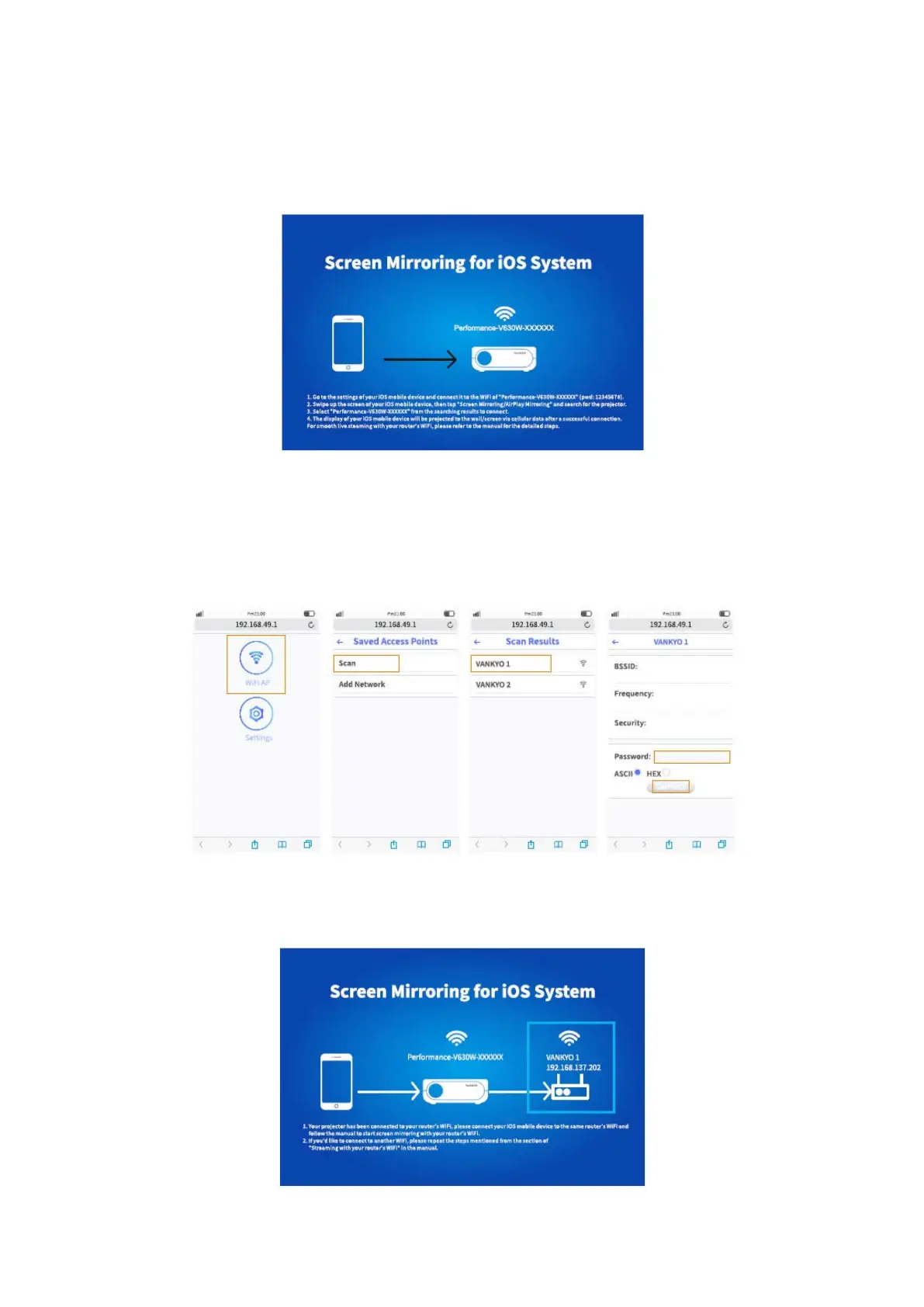
* Streaming with your router’s WIFI
1) Turn on the projector, select Screen Mirroring as the input source to enter the
interface f Screen Mirroring for iOS System.
2) Go to the settings of your iOS mobile device and connect it to the WIFI of
Performance-V630W -XXXXXX.
3) Visit http://192.168.49.1 from a browser on your mobile device, tap WIFI AP > Scan,
select your router’s WIFI and enter the right password, then tap Connect to continue.
4) Your router’s WIFI will be displayed on interface of Screen Mirroring for iOS System
after a successful connection.














 To Next Page