9
Screen Mirroring through Wireless Connection
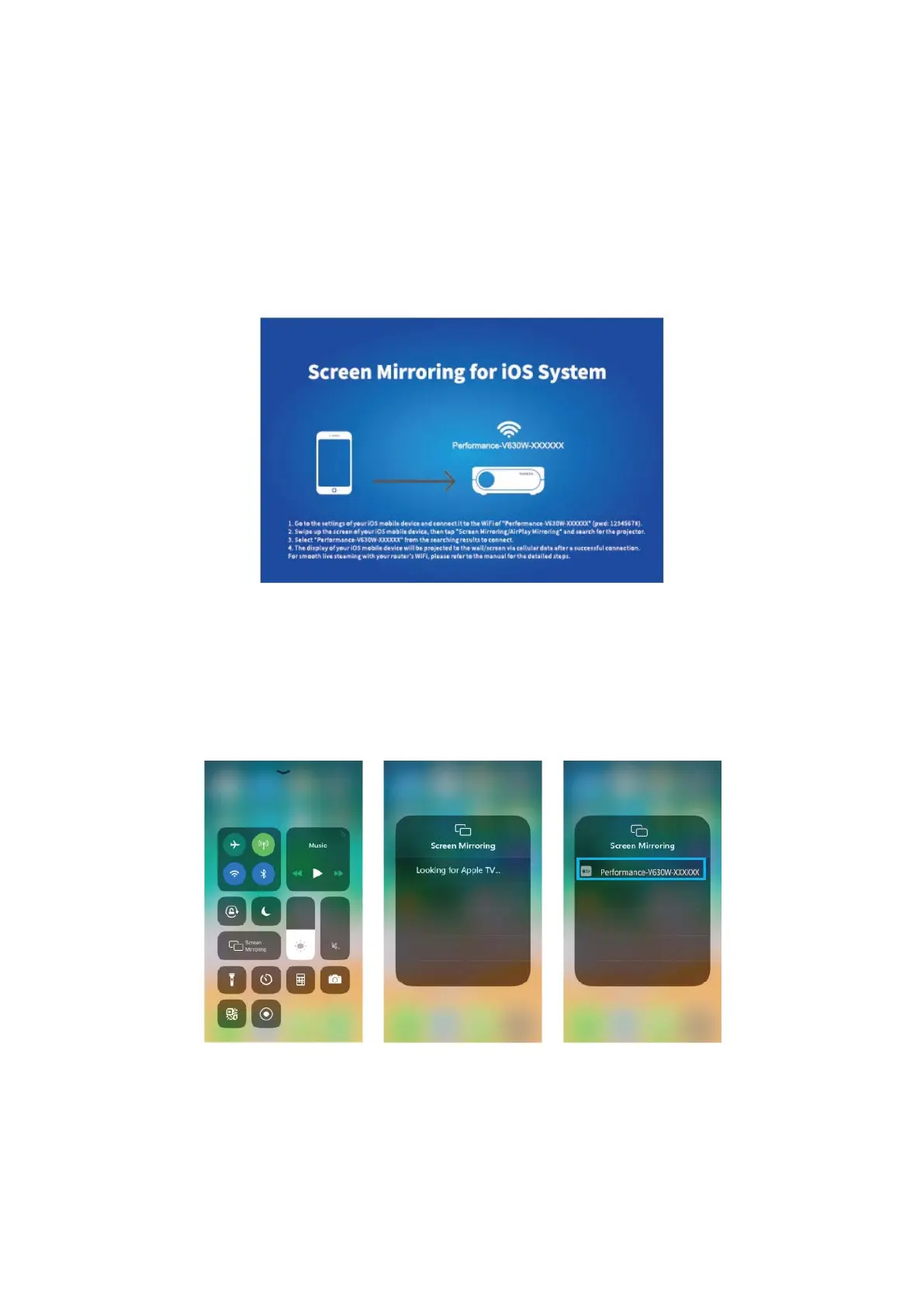
For iOS System
* Streaming with cellular data
1) Turn on the projector, select Screen Mirroring as the input source to enter the
interface f Screen Mirroring for iOS System.
2) Go to the settings of your iOS mobile device and connect it to the WIFI of
Performance-V630W-XXXXXX (pwd:12345678). Please ignore the exclamation mark
before it.
3) Activate Screen Mirroring/Air Play Mirroring function on your iOS mobile device, then
search for the projector.
4) Select Performance-V630W-XXXXXX from the searching results to connect.
5) The display of your iOS mobile device will be projected to the wall/screen via cellular
data after a successful connection.














 To Next Page