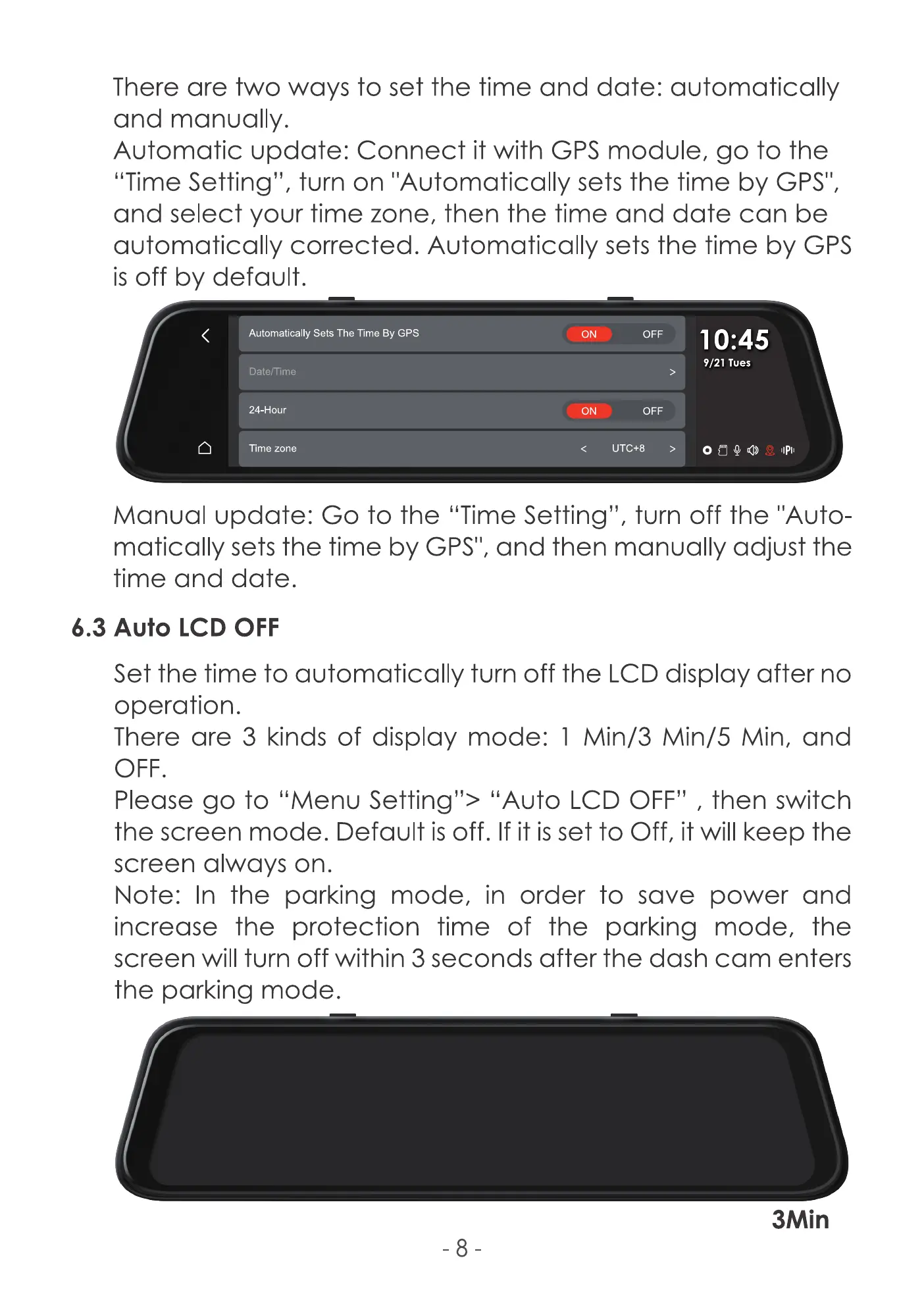
There are two ways to set the time and date: automatically
and manually.
Automatic update: Connect it with GPS module, go to the
"Time Setting", turn on "Automatically sets the time by GPS'I,
and select your time zone, then the time and date can be
automatically corrected. Automatically sets the time by GPS
is off by default.
Automatically Sets The Time By GPS
Date/Time
24-Hour
Time zone
ON
ON
OFF
OFF
UTC+8
10:45
9/21 Tues
Manual update: Go to the "Time Setting", turn off the "Auto-
matically sets the time by GPS'I, and then manually adjust the
time and date.
6.3 Auto LCD OFF
Set the time to automatically turn off the LCD display after no
operation.
There are 3 kinds of display mode: 1 Min/3 Min/5 Min, and
OFF.
Please go to "Menu Setting"> "Auto LCD OFF" , then switch
the screen mode. Default is off. If it is set to Off, it will keep the
screen always on.
Note: In the parking mode, in order to save power and
increase the protection time of the parking mode, the
screen will turn off within 3 seconds after the dash cam enters
the parking mode.
-8
3Min



 To Next Page