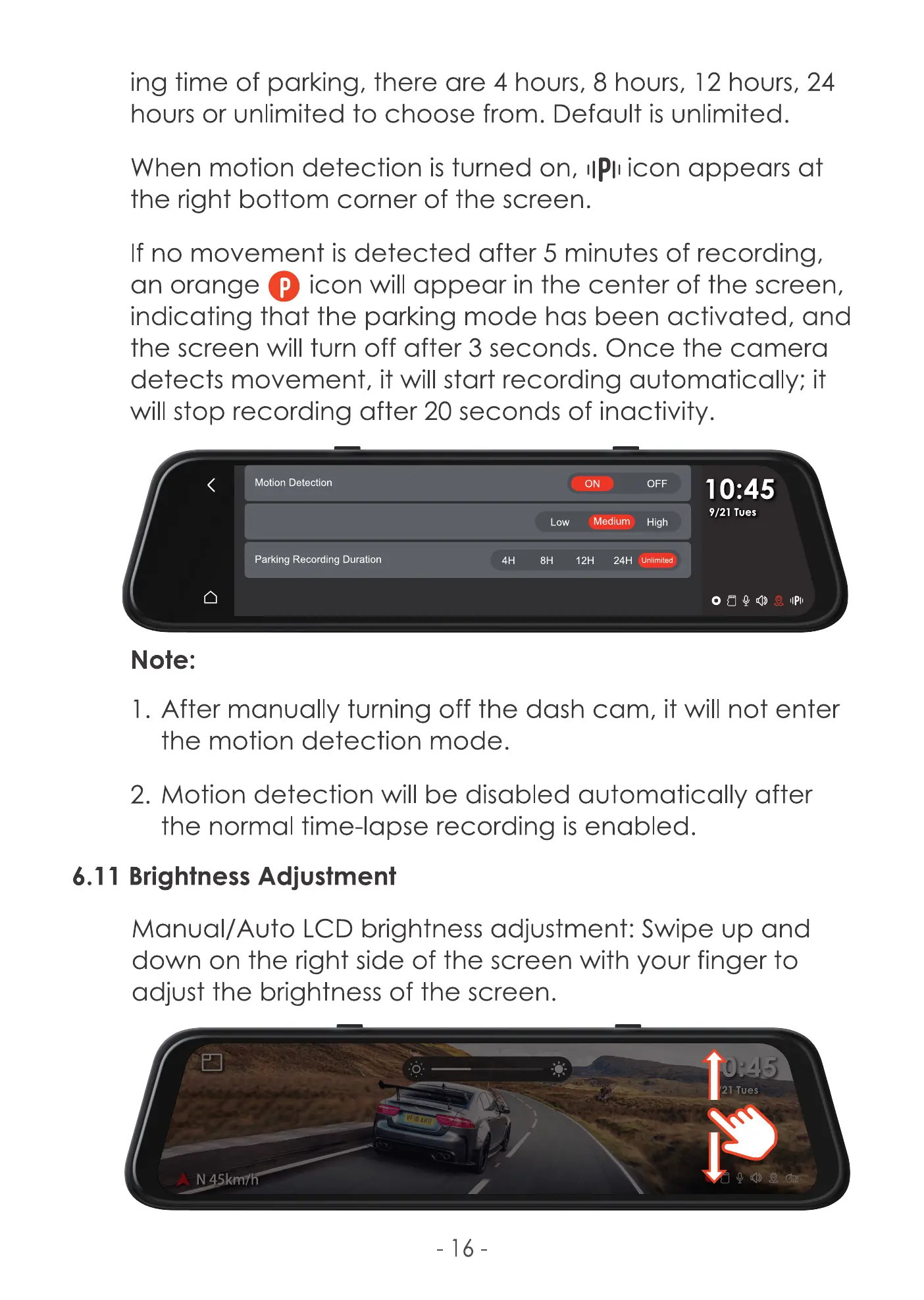
ing time of parking, there are 4 hours, 8 hours, 12 hours, 24
hoors or unlimited to choose from. Default is unlimited.
When motion detection is turned on, IIPIIicon appears at
the right bottom corner of the screen.
If no movement is detected after 5 minutes of recording,
O
icon will appear in the center Of the screen,
an orange
indicating that the parking mode has been activated, and
the screen will turn off after 3 seconds. Once the camera
detects movement, it will start recording automatically; it
will stop recording after 20 seconds of inactivity.
Motion Detection
Parking Recording Duration
Note:
ON
ediu
Low
12H 24H
OFF
High
nlimited
1 0:45
9/21 Tues
IIPII
1. After manually turning off the dash cam, it will not enter
the motion detection mode.
2. Motion detection will be disabled automatically after
the normal time-lapse recording is enabled.
6.11 Brightness Adjustment
Manual/Auto LCD brightness adjustment: Swipe up and
down on the right side of the screen with your finger to
adjust the brightness of the screen.
21 Tues
N 45km1
-16



 To Next Page