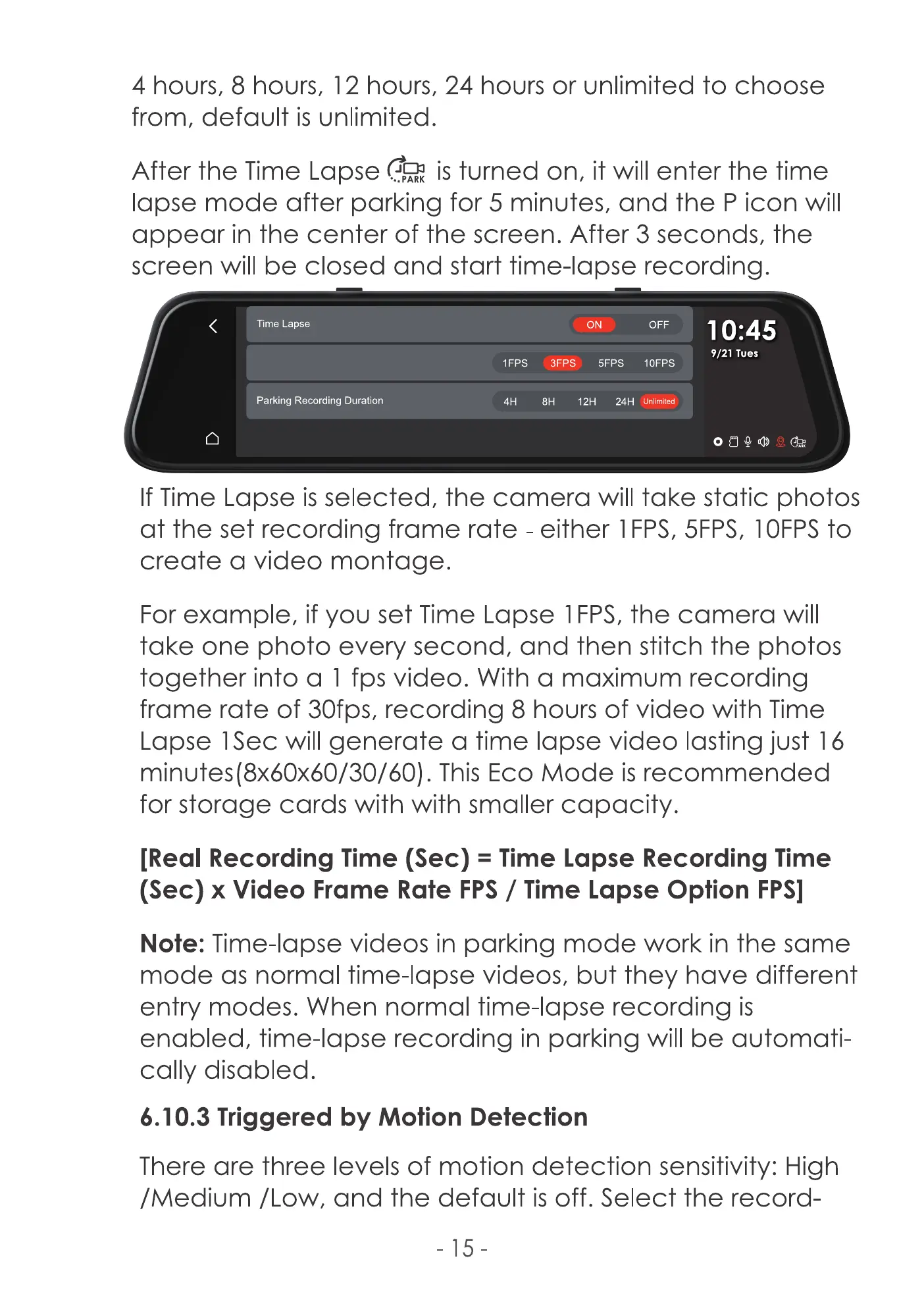
4 hours, 8 hours, 12 hours, 24 hours or unlimited to choose
from, default is unlimited.
After the Time Lapse is turned on, it will enter the time
lapse mode after parking for 5 minutes, and the P icon will
appear in the center of the screen. After 3 seconds, the
screen will be closed and start time-lapse recording.
Time Lapse
Parking Recording Duration
ON OFF
10:45
9/21 Tues
IFPS 5FPS IOFPS
12H 24H (unlimited)
If Time Lapse is selected, the camera will take static photos
at the set recording frame rate - either 1FPS, 5FPS, IOFPS to
create a video montage.
For example, if you set Time Lapse 1FPS, the camera will
take one photo every second, and then stitch the photos
together into a I fps video. With a maximum recording
frame rate of 30fps, recording 8 hours of video with Time
Lapse ISec will generate a time lapse video lasting just 16
minutes(8x60x60/30/60). This Eco Mode is recommended
for storage cards with with smaller capacity.
[Real Recording Time (Sec) = Time Lapse Recording Time
(Sec) x Video Frame Rate FPS/ Time Lapse Option FPSI
Note: Time-lapse videos in parking mode work in the same
mode as normal time-lapse videos, but they have different
entry modes. When normal time-lapse recording is
enabled, time-lapse recording in parking will be automati-
cally disabled.
6.10.3 Triggered by Motion Detection
There are three levels of motion detection sensitivity: High
[Medium /Low, and the default is off. Select the record-
-15



 To Next Page