8. Front Camera Installation
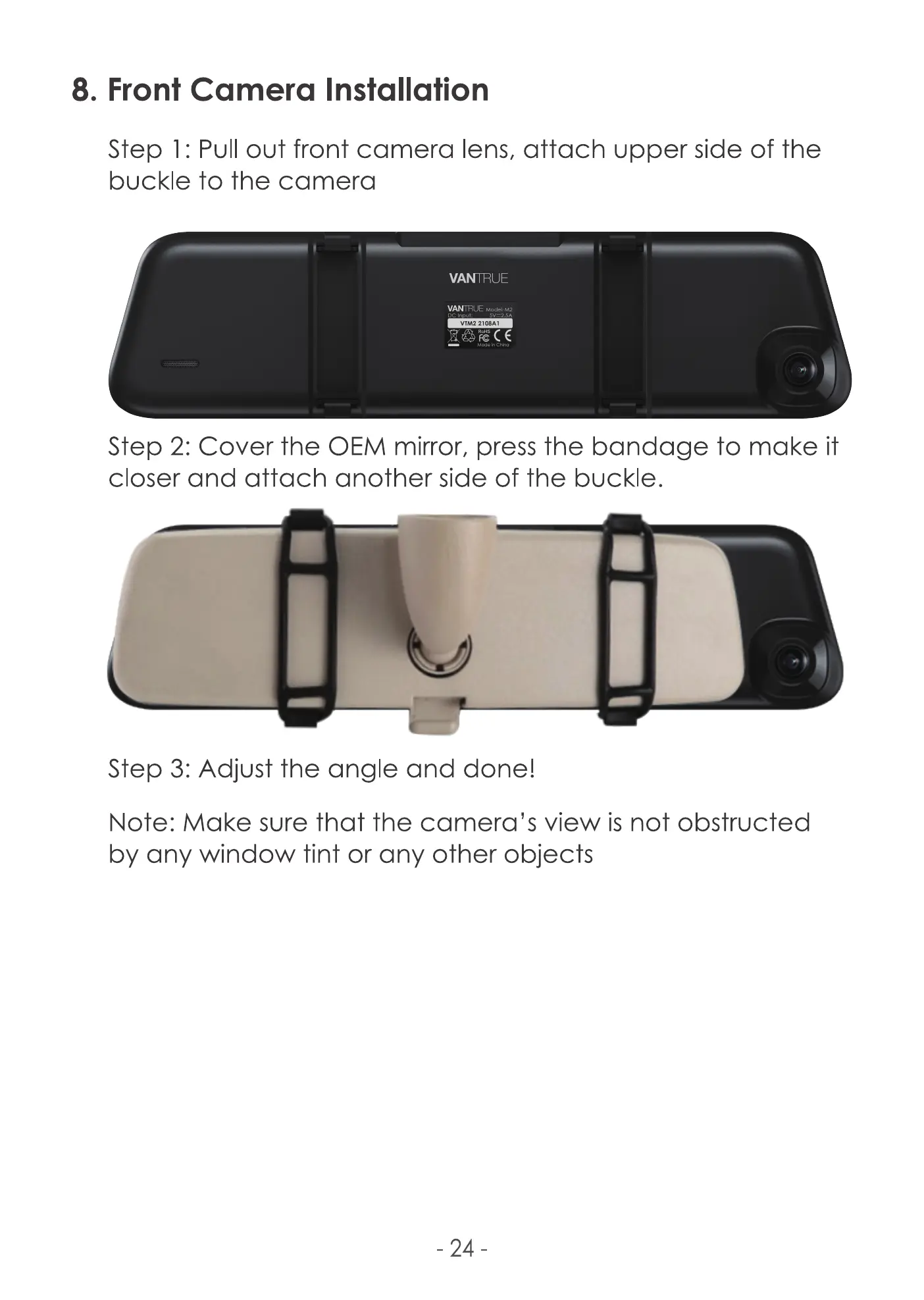
Step l: Pull out front camera lens, attach upper side of the
buckle to the camera
VANTRIJE
VANTAUE
VIM2 2108A1
Step 2: Cover the OEM mirror, press the bandage to make it
closer and attach another side of the buckle.
Step 3: Adjust the angle and done!
Note: Make sure that the camera's view is not obstructed
by any window tint or any other objects
¯ 24



 To Next Page