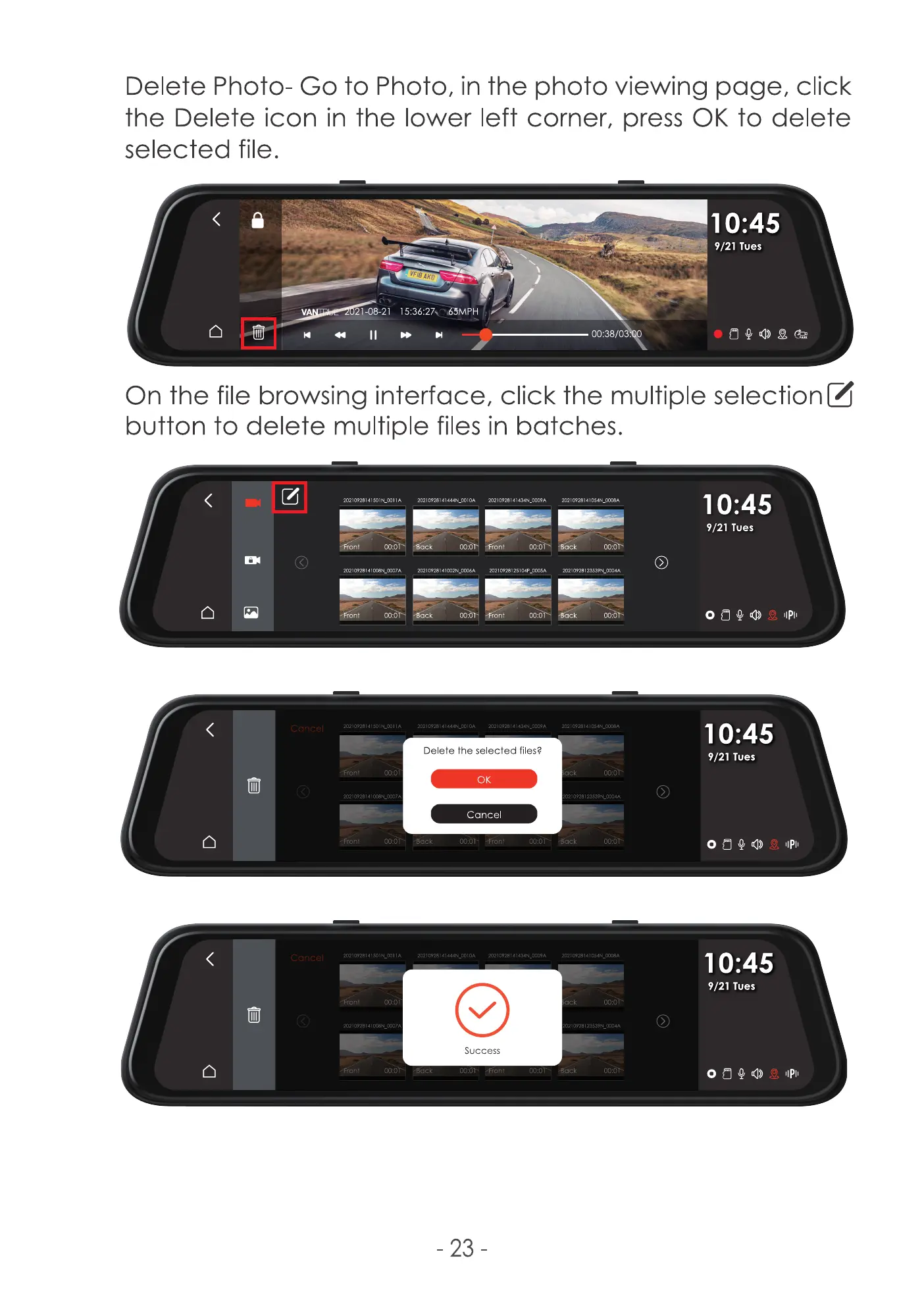
Delete Photo- Go to Photo, in the photo viewing page, click
the Delete icon in the lower left corner, press 0K to delete
selected file.
10:45
9/21 Tues
v
m -08-21
00:38/0
On the file browsing interface, click the multiple selection Z
button to delete multiple files in batches.
20210928141501 '•LCOIIA 20210928141444'•LC010A
ont
•Front
22
ront
Front
Front
00:0
00:0
oo:a
00:01
coli A
oc:c•
ack 00:0
00:0
20210928141434N_OC09A 202109-28141054N_mogA
00:01 "k
nt 00:0
-D 00:0
10:45
9/21 Tues
o öQ0
10:45
9/21 Tues
10:45
9/21 Tues
IIPli
Delete the selected files?
0K
Cancel
tdack
C.OIOA
Success
-23
oc09A
:ack
Back
oc:öF
oc:0V
oc:o



 To Next Page