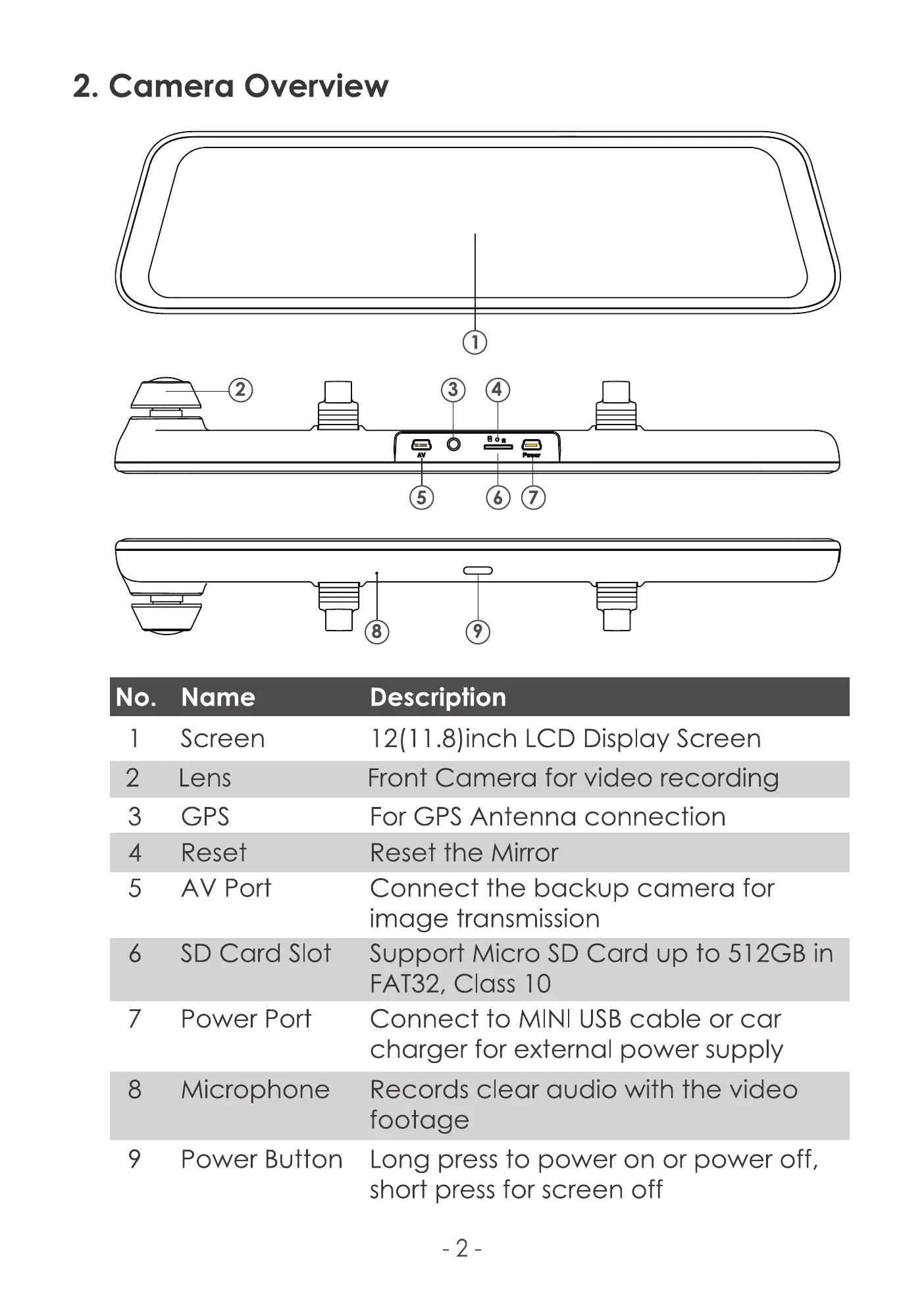
2. Camera Overview
4
3
9
7
No.
2
3
4
5
6
7
8
9
2
Name
Screen
Lens
GPS
Reset
AV Port
SD Card Slot
Port
Microphone
Power Button
5
8
Description
12(1 1.8)inch LCD Display Screen
Front Camera for video recording
For GPS Antenna connection
Reset the Mirror
Connect the backup camera for
image transmission
Support Micro SD Card up to 512GB in
FAT32, class 10
Connect to MINI USB cable or car
charger for external power supply
Records clear audio with the video
footage
Long press to power on or power off,
short press for screen off
-2



 To Next Page