3. Screen Overview
N 45k
9/21*Tues
A N 45km/h
10: 45
9/21 Tues
O
c
IIGII
•..PARK
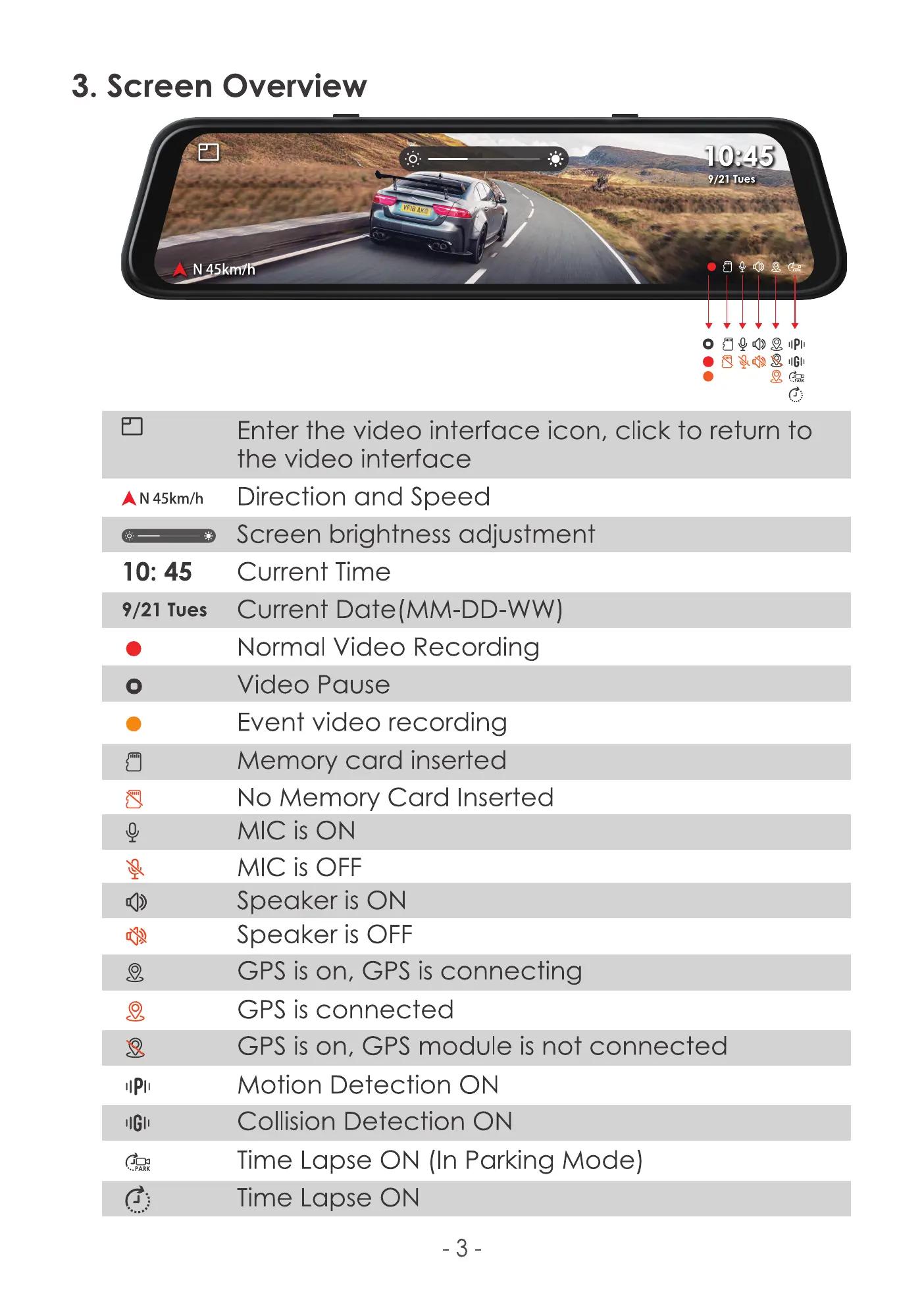
Enter the video interface icon, click to return to
the video interface
Direction and Speed
Screen brightness adjustment
Current Time
Current Date(MM-DD-WW)
Normal Video Recording
Video Pause
Event video recording
Memory card inserted
No Memory Card Inserted
MIC is ON
MIC is OFF
Speaker is ON
Speaker is OFF
GPS is on, GPS is connecting
GPS is connected
GPS is on, GPS module is not connected
Motion Detection ON
Collision Detection ON
Time Lapse ON (In Parking Mode)
Time Lapse ON
-3



 To Next Page