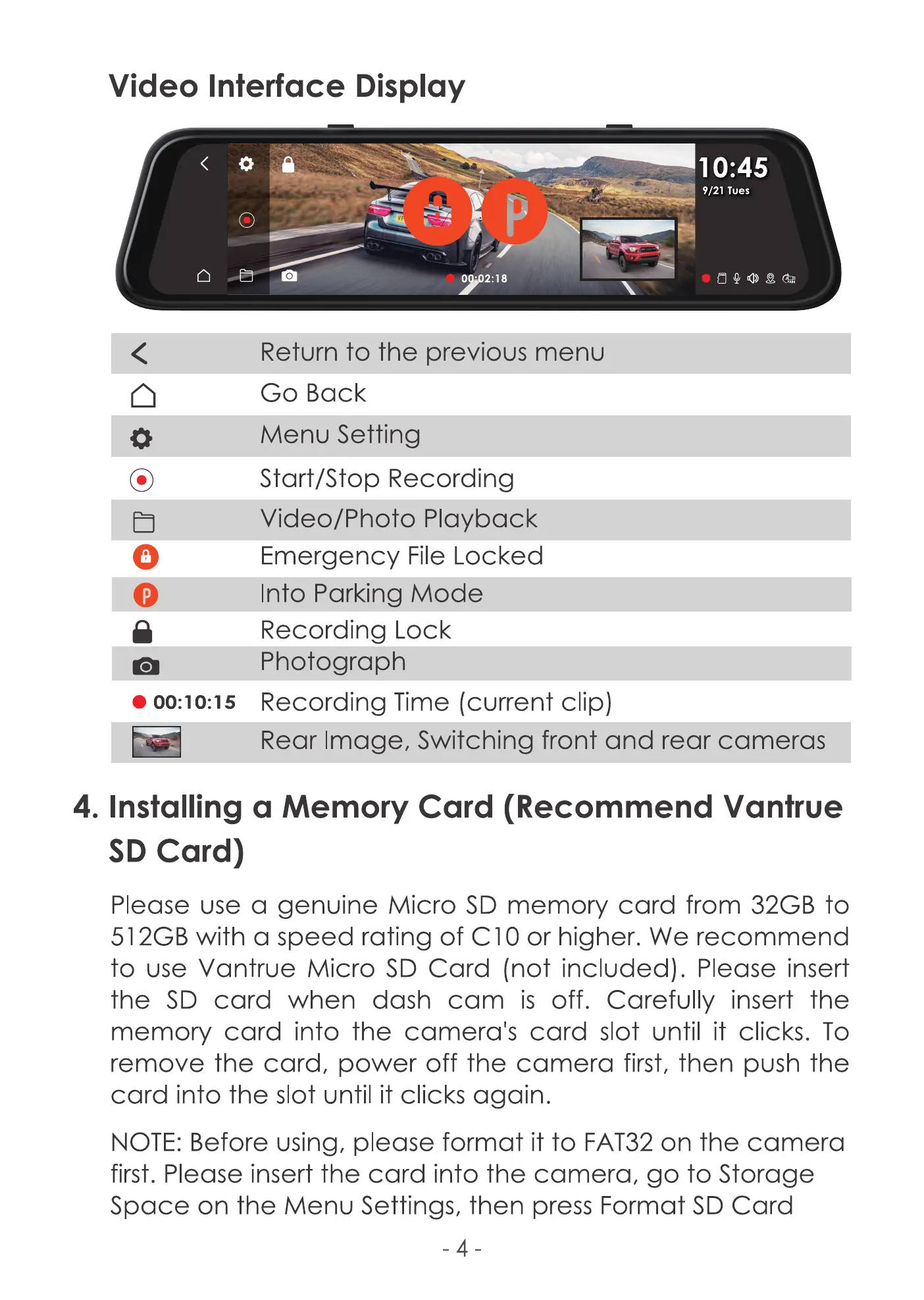
Video Interface Display
O •h2:18
10:45
9/21 Tues
o
O
0
Return to the previous menu
Go Back
Menu Setting
Start/Stop Recording
Video/Photo Playback
Emergency File Locked
Into Parking Mode
Recording Lock
Photograph
Recording Time (current clip)
Rear Image, Switching front and rear cameras
4. Installing a Memory Card (Recommend Vantrue
SD Card)
Please use a genuine Micro SD memory card from 32GB to
512GB with a speed rating of CIO or higher. We recommend
to use Vantrue Micro SD Card (not included). Please insert
the SD card when dash cam is off. Carefully insert the
memory card into the camera's card slot until it clicks. To
remove the card, power off the camera first, then push the
card into the slot until it clicks again.
NOTE: Before using, please format it to FAT32 on the camera
first. Please insert the card into the camera, go to Storage
Space on the Menu Settings, then press Format SD Card
-4



 To Next Page