- 22 -
•
•
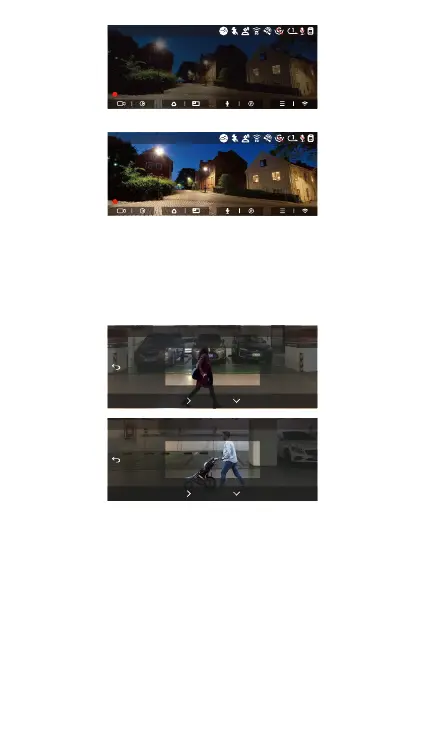
4.2.4 Motion Detection Area
The detection range of the front camera and rear
camera can be set on the N4 Pro dash cam, and the set
range can be adjusted up and down as well as left and
right.
This feature is only available when motion detection
parking mode is on.
You can select 1X, 2X, 3X, 4X, or 5X range. 5X range
for global detection mode.
Note:
Low-light Night Vision O
Low-light Night Vision On
MP/H
14:25:35 06-01-202300:00:37
35
2160P+1080P+1080P 30FPS
MP/H
14:25:35 06-01-202300:00:37
35
2160P+1080P+1080P 30FPS
4.2.5 Parking Mode(When the parking mode is turned
on, the time-lapse video function will not work. These
two functions cannot run at the same time)
Parking Mode operates as a sent function under
dierent situations. You can switch to dierent parking
OK
2X
Rear Area Detection
OK
2X
Front Area Detection


 To Next Page