- 3 -- 3 -
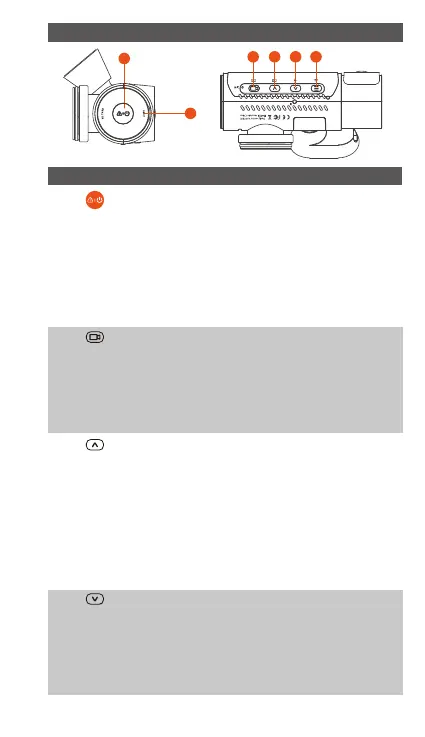
KEYS AND FUNCTIONS
1. In the power-on state, long press to turn
o the camera; in the power-o state,
sho press to turn on the camera.
In the recording inteace, sho press to
turn on emergency recording and
snapshot.
In le browsing, sho press to pop up
the menu for deleting les
2.
3. During video recording, sho press to
switch the video window;
In the menu setting and le browsing
screen, sho press to select the previous
option or le, and long press to scroll
through the above options or les.
When playing back the le, sho press to
play back the video at 2X and 4X times
speed.
In the recording screen, sho press to
turn on or pause the recording.
In the menu settings, sho press to
conrm the option.
In the playback video, sho press to
play the video or pause the video.
During video recording, sho press to
turn on/o the microphone; Long press
to enter parking mode (this operation
can be done with parking mode on)
In the menu settings and le browsing
screen, sho press to select the next
4.
No. Key Instruction
6
1
2 3 4 5



 To Next Page