- 5 -
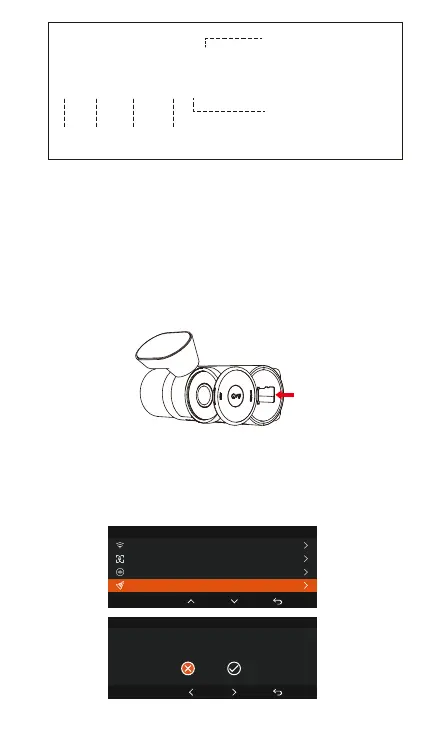
File Format Denition
20300128_140933_0008_N_A.MP4
20300128_140833_0007_P_B.MP4
20300128_140733_0006_T_C.MP4
20300128_140633_0005_S_A.MP4
A for the front camera
B for cabin camera
C for rear Camera
N for loop recording
T for time lapse video
S for privacy recording
E for event recording
Year Date Time
P for the video recorded
in the parking mode
Sequence
Number
3. Installation
3.1 Inseing a Memo Card (Recommended: Vantrue
high-speed microSD card).
You need to push the memo card(Memo card
capacity: 32GB -512GB, card speed requirements: U3/
Class10/A2) into the slot with your ngernail (in the
direction shown) until you hear a "click" from the slot,
which indicates that the card has been inseed
correctly.
After inseing the memo card, if the screen prompts
"SD Card Error" (please note that the dash cam does not
record at this time), please go to the "System Set up"
menu and select "Format", click OK to "Format memo
card" until it prompts "Format successful".
Format SD Card
OK
All data will be deleted!
OK
System Setup
5/14
Format SD Card
Wi-Fi
Voice Control
Voice Content



 To Next Page