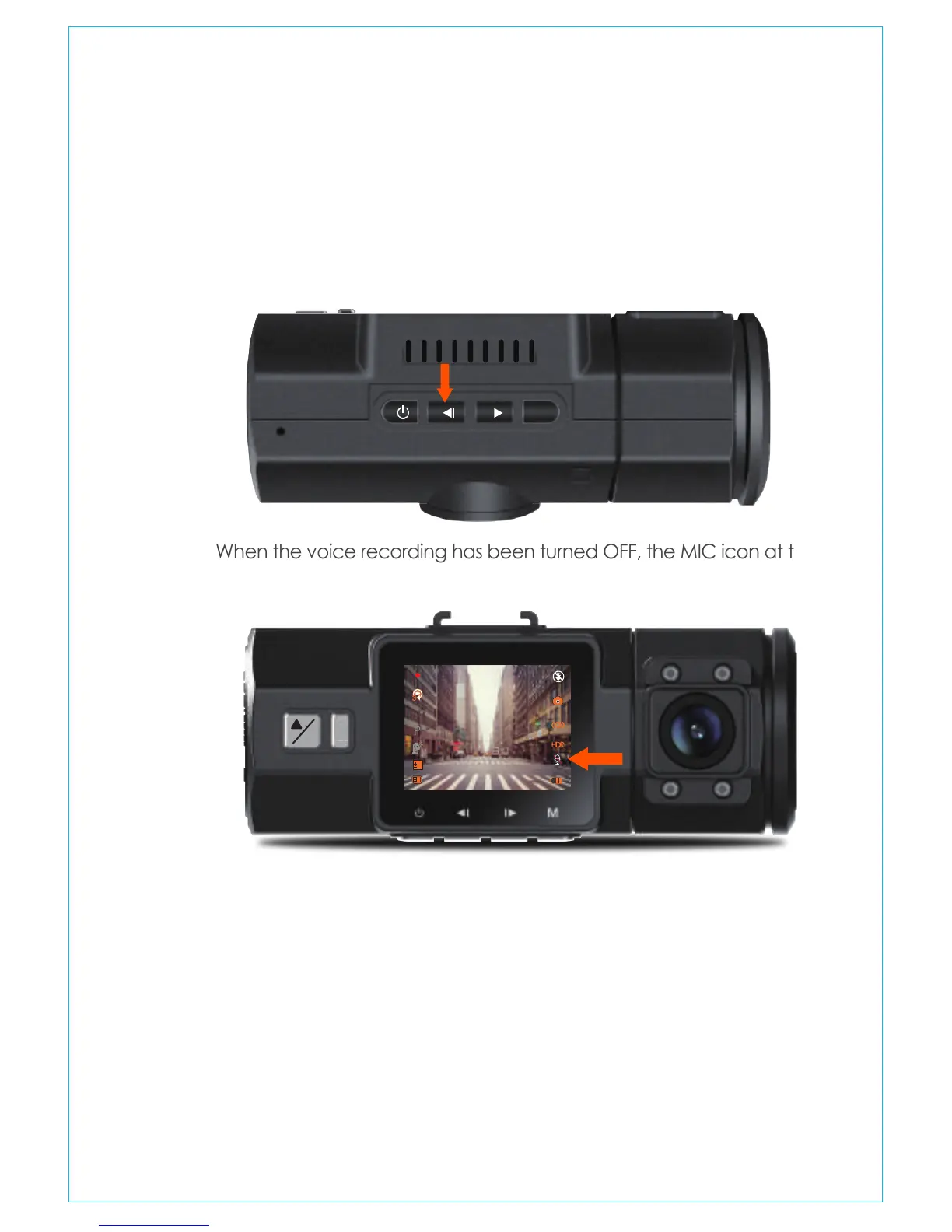
By default, the voice recording is ON. It can be turned OFF using
either of the following methods:
-Go to “Record Setup”>“MIC”, press OK button and select OFF;
-While recording video, press the UP button to toggle voice
recording OFF/ON.
When the voice recording has been turned OFF, the MIC icon at the
bottom right of the screen will turn white with a red line across it.
4.7 Voice Recording
Parking Mode operates as a sentry function under different situations.
To activate Parking Mode, go to “Record Setup”>“Parking Monitor”,
press OK and select ON.
4.8 Parking Mode
M
When the Parking Mode has been turned on, and no movement is
detected in front of the camera after 5 minutes of recording, then
Parking Mode is activated. This is represented by an icon (P) at the
left side of the screen. Full frame recording will be triggered by the
4.8.1 Triggered by MOTION DETECTION
!
P
OK
0
01/01/2017
03:07:29
0:231080P+1080P
3
- 14 -



 To Next Page