5
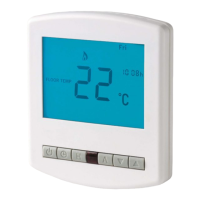
1. Day Indicator
2. Power Delivery Indicator - Displayed when power is being delivered
to the floor
3. Frost Protection - Displayed when the heating system is off and the
system is protecting against frost only
4. Room/Floor Temp - Indicates the current sensor mode
5. Current Temp - Indicates the current sensor temperature
6. Set - Indicates when changes are being made to programs or
temperature set points
7. Program Cycle Indicator - Displayed during programming, only, to
show which period is being altered
8. Holiday Indicator - Displayed when the programmer is in holiday
mode
9. Clock Button
10. Power Button
11. H Button
12. Floor Temp Achieved Indicator - Displayed when the floor set point
temperature is reached
13. Temperature Hold - Displayed when manually overriding the
program, “HOLD FOR” and the time period are displayed.
14. Units of Temperature - Degrees Celsius or Fahrenheit
15. Keypad Lock Indicator - Displayed when the keypad is locked
16. Infrared Receiver (for optional infrared controller)
17. A Button
18. Up/Down Arrows


 To Next Page