EasyManua.ls Logo

Varytec Hero Scan 150 - User Manual

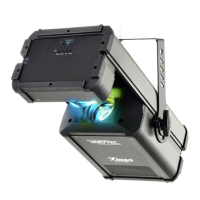
Varytec Hero Scan 150
64 pages
Print Icon
To Next Page IconTo Next Page
Loading...
Hero Scan 150
LED scanner
User manual

Questions and Answers

  • C
    Cynthia MarshAug 5, 2025
    What to do if my Varytec Hero Scan 150 Scanner has no response to the DMX controller?
    • J
      jaredsimmonsAug 5, 2025
      If your Varytec Scanner isn't responding to the DMX controller, first ensure the DMX indicator lights up. If it doesn't, examine the DMX connectors and cables for a secure connection. If the DMX indicator is lit, verify the address settings and DMX polarity. You might also try using an alternative DMX controller. Also, make sure that the DMX cables are not near high voltage cables, as this can interfere with the DMX interface circuit.

Summary

Safety Instructions

Intended Use

Defines the device's intended professional use and limitations.

Hazard Warnings

Details DANGER and WARNING notices for child safety, electric shock, and eye damage.

Operational Safety

Covers warnings on epileptic shock, falling objects, burns, and mirror movement hazards.

Environmental and Electrical Notices

Covers notices for fire risk, overheating, operating conditions, and power supply.

Installation

Mounting Options

Details how to securely attach the device using brackets, adapters, and safety cables.

Starting Up

Connections and Controls

Operating Elements Overview

Details the function of buttons, display, and LEDs for device operation.

Operating

DMX Configuration, Modes, and Operation

Setting DMX address, modes, selecting operating modes, and programs.

Technical Specifications

Plug and Connection Assignment

Troubleshooting

Problem Resolution Guide

Lists common issues like unit not working or no DMX response, with remedies.

Varytec Hero Scan 150 Specifications

General IconGeneral
BrandVarytec
ModelHero Scan 150
CategoryScanner
LanguageEnglish