12 13
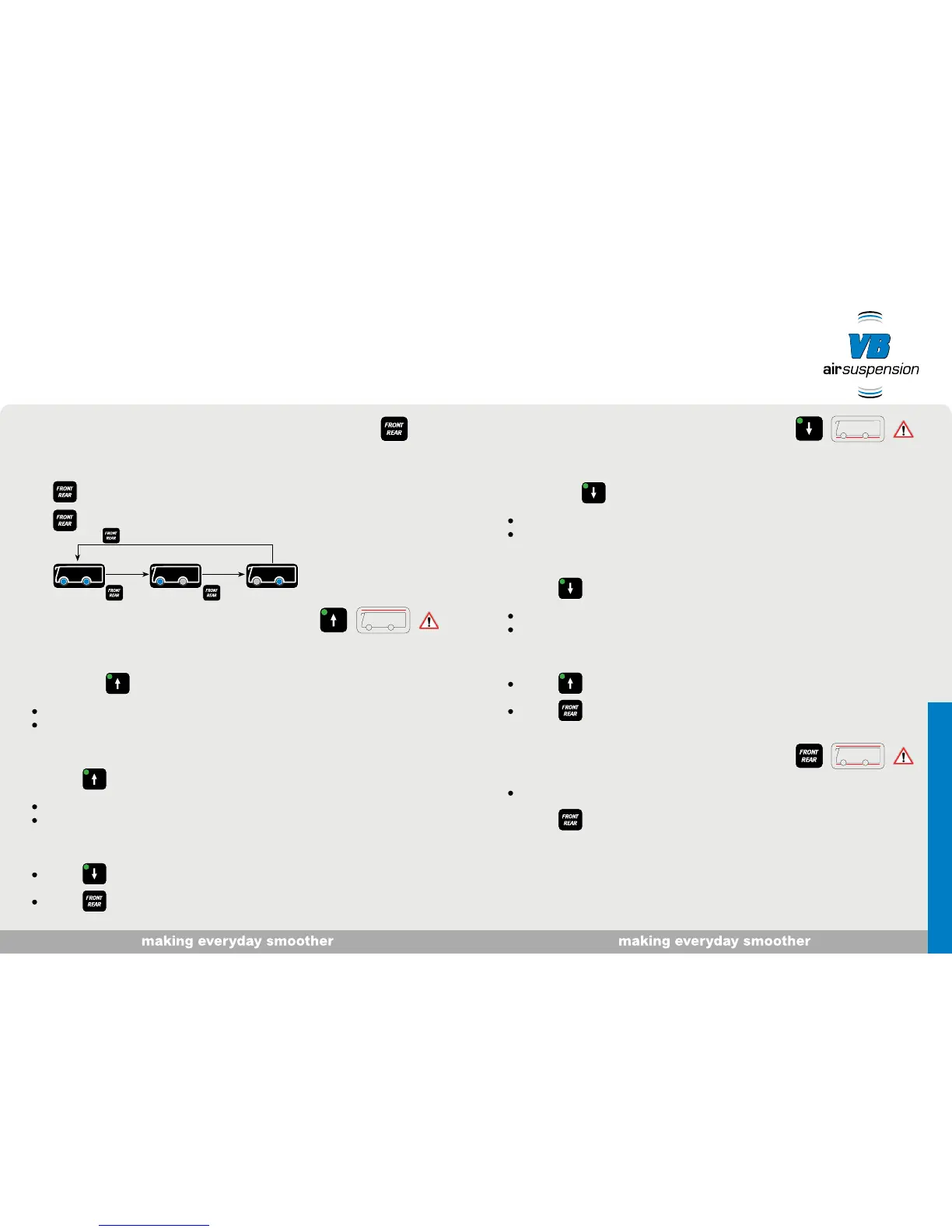
Motorhome ride-height/axle selection
1. Switch on ignition, apply handbrake. Vehicle standing still or driving at < ± 5 km/h.
2. short press: at vehicle height, one or both LEDs come on.
3. long press: axle selection enabled.
Raise motorhome
1. Switch on ignition. Vehicle standing still or driving at < ± 5 km/h.
2. Keep button pressed until the required level is reached.
The button flashes during raising.
The button is lit continuously when the level is reached.
Alternatively
1. Button - short press. The vehicle is raised to the highest position.
The button flashes during raising.
The button is lit continuously when the highest level is reached.
Ending the function
Button - short press.
Button - short press.
Lower motorhome
1. Switch on ignition. Vehicle standing still or driving at < ± 5 km/h.
2. Keep button pressed until the required level is reached.
The button flashes during lowering.
The button is lit continuously when the level is reached.
Alternatively
1. Button - short press. The vehicle is lowered to the lowest position.
The button flashes during lowering.
The button is lit continuously when the lowest level is reached.
Ending the function
Button - short press.
Button - short press.
Reset motorhome to ride-height
From unknown level:
1. Button - short press.
Vehicle is brought to ride-height.
3 sec. 3 sec.
3 sec.
"Lowering the vehicle makes it easier for people to get in and out, etc."


 To Next Page