VDarts H2&H2L Global Online Dartboard
13
Member Card Instructions and FAQ
(Picture 1)
System Activated
Member Card
(Picture 2)
Ordinary
Member Card
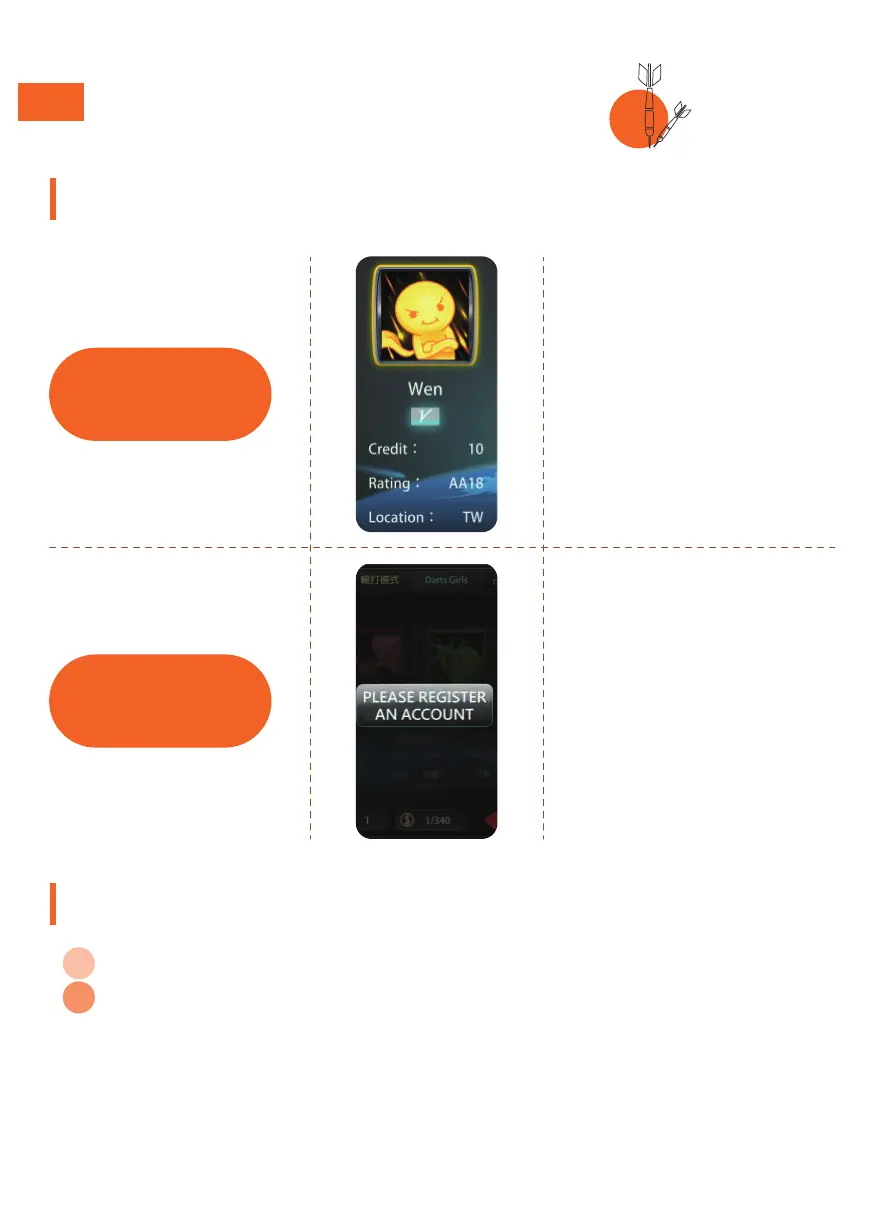
Try logging in using your
card’s ID number.
If you have the System
Activated Card, you will be able
to log in successfully.
Information such as points,
ranking,and location will be
shown. (Picture1)
Q: How do I register/login to become a VDarts member?
A: Please go to our web site http://logiin.vdarts.net/singUp.html, or download the
APP on Google play or APPLE store on your mobile device and register. If you
have a VDATRS member card, you can pair it to your account. Your account can
be paired to multiple member cards and can be used to add money and
recharge. The balance of your account can be shared by multiple member
cards.
Try logging in using your
card’s ID number.
If you have the ordinary
member card, you will be
asked to register an account.
How to know which card you have:
Member Card Q & A:


 To Next Page