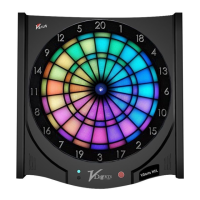
VDarts H2&H2L Global Online Dartboard
14
Member Card Instructions and FAQ
Q: What should I do if I forget my member card password?
A: Please go to http://login.vdarts.net/forgetPassword.html and follow the
instructions. If you still have a problem logging in, please contact our customer
support at support@vdarts.tw.
Q: My member card cannot be paired to my account. It says that my card is already
in use.
A: Please follow the instructions below:
1. Use your member card ID number as your account and take the last 6 digits of
the ID number as your password to log into VDarts member platform.
2. Delete your original account and then log out.
3. Log into your account again and pair the card in the member card
management. If not successful, please send an email to support@vdarts.tw
(There are two kinds of member cards: the “System Activated Member Card”
(Use ID number as your login details) and the“Ordinary Member Card”
(register an account first to login)).
Q: Will my scores and competition record be gone if my member card is damaged?
A: All your data is saved to your account. You only need to pair a new member
card to your account and it will save your data history automatically.
Q: How do I get a ranking/rating (Initial: N1)?
A: VDarts will give you a ranking/rating after competing with other players online
for over 10 times.
Q: Why doesn’t my rating change? I have improved a lot recently.
A: Remember that you need to login to your member account before entering the
game for VDarts to record your data. Since the system averages the last
30 games you played, you might have to play more to see a change in your
rating/ranking.


 To Next Page