11
EA
First time settings
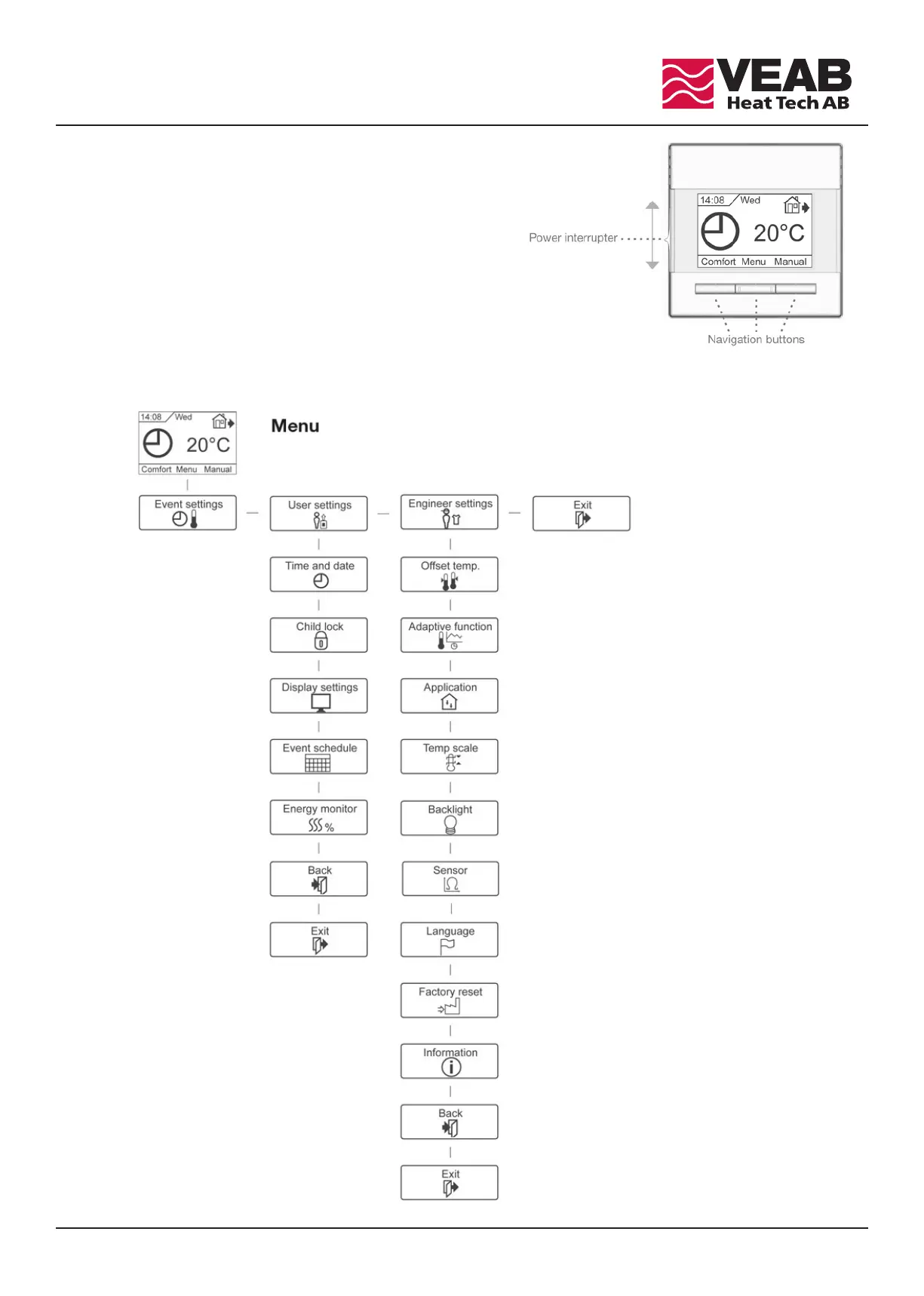
e first time you switch the interrupter ON ”I”, language, time and date
must be set. e menu will automatically guide you through the process.
• Choose your language with the Up and Down buttons
and confirm with OK.
• Set the actual hour and press the OK button.
en set the minutes. Press OK.
• Set the actual date: year, month and day.
Confirm the settings with the OK button.
e thermostat is now ready for use and will control your heating in
accordance with the pre-programmed event schedule, see Factory settings.
e complete maunual for the thermostat is available at www.veab.com



 To Next Page