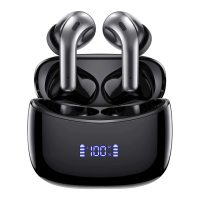
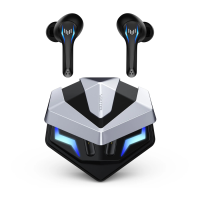
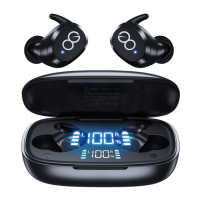
The VEATOOL J29 Wireless Earbuds are a pair of Bluetooth 5.0+EDR compatible earbuds designed for wireless audio playback and hands-free calling. The package includes two earbuds, a charging case, a Micro USB cable, one pair of original ear caps, two pairs of extra ear caps (S/L), and a user manual.
Functional Diagram:
The functional diagram illustrates the key components of the earbuds and charging case. Each earbud features an LED indicator and a multi-function button (MFB). The charging case includes a charging port, a charging point for the earbuds, a power button, and an LED display to show the charging status. A microphone (mic) is also indicated on the earbuds.
Technical Specifications:
- Bluetooth Version: BT5.0+EDR
- Support Profiles: HSP/HFP/A2DP/AVRCP
- Transmission Range: 10m/33 feet (unobstructed)
- Distortion: <1%
- Earbuds Working Time: Approximately 4 hours (high-quality music and volume may reduce battery life)
- Charging Port: Micro USB Cable
- Charging Time: 0.5-1 hour for earbuds; 2.5-3 hours for the charging case
- Earbud Dimension: 23x22x17.5mm
- Charging Case Dimension: 80x41x31mm
- Earbud Weight: 5.0g/PC
- Battery Supply/Capacity:
- Earbuds: 3.7V/60mAh (Li-Pol battery inside)
- Charging Case: 3.7V/800mAh
Usage Features:
How to Charge:
Prior to first use, ensure both the earbuds and the charging case are fully charged.
- Charging the Charging Case and Earbuds (via Micro USB Cable):
- Place the earbuds correctly in their slots within the charging case.
- Connect the charging case to a PC or other charger using the provided USB cable.
- While charging, the earbuds' LED lights will be red, and the number on the charging case's LED display will flash.
- When fully charged, the earbuds' LED lights will turn from red to blue.
- The charging case is fully charged when its LED display shows "100".
- Charging the Earbuds (via Charging Case):
- The fully charged charging case acts as a power bank and can charge the earbuds 5-6 times without an external cable.
- Ensure earbuds are in their correct slots.
- Press the button on the charging case. The earbuds' LED lights will turn red, indicating they are charging.
- When fully charged, the earbuds' LED lights will turn from red to blue. After about 1 minute, the blue light will disappear.
How to Switch On/Off the Earbuds:
- Turn On: Open the lid of the charging case and remove the earbuds. They will automatically turn on and connect to each other.
- Turn Off:
- Method 1: Place the earbuds back into the charging case.
- Method 2: When using the earbuds, hold down the multi-function button (MFB) for 3 seconds. The earbud LED light will turn red for 1 second.
- Note: If one earbud is turned off while successfully paired with a device, the other earbud will also turn off.
How to Pair Twin Earbuds with Your Phone (Twins Earbuds Mode):
- Open the charging case lid and take out both earbuds. They will automatically pair with each other. The right earbud's LED will flash red and blue alternately, and a voice prompt will announce "left channel" and "right channel".
- Enable Bluetooth on your device, search for "J29 R", and connect.
- Note: If the host channel earbud indicates "Low battery" and turns off, the vice channel earbud may still have battery. You can charge the host channel earbud separately and then reconnect the vice channel earbud to your phone.
How to Pair a Single Earbud with Your Phone (Mono Earbud Mode):
- Open the charging case lid and take out only one earbud.
- Enable Bluetooth on your device, search for "J29 R" (for the right earbud) or "J29 L" (for the left earbud), and connect.
- Note: When using only the left earbud, volume control ("+" & "-") must be done via your phone, while "play previous" & "play next song" can be controlled by the earbud. When using only the right earbud, "play previous" & "play next song" can be controlled by the earbud, while volume control ("+" & "-") must be done via your phone.
Other Functions:
| Function | Operations

 Need help?

 To Next Page
 General