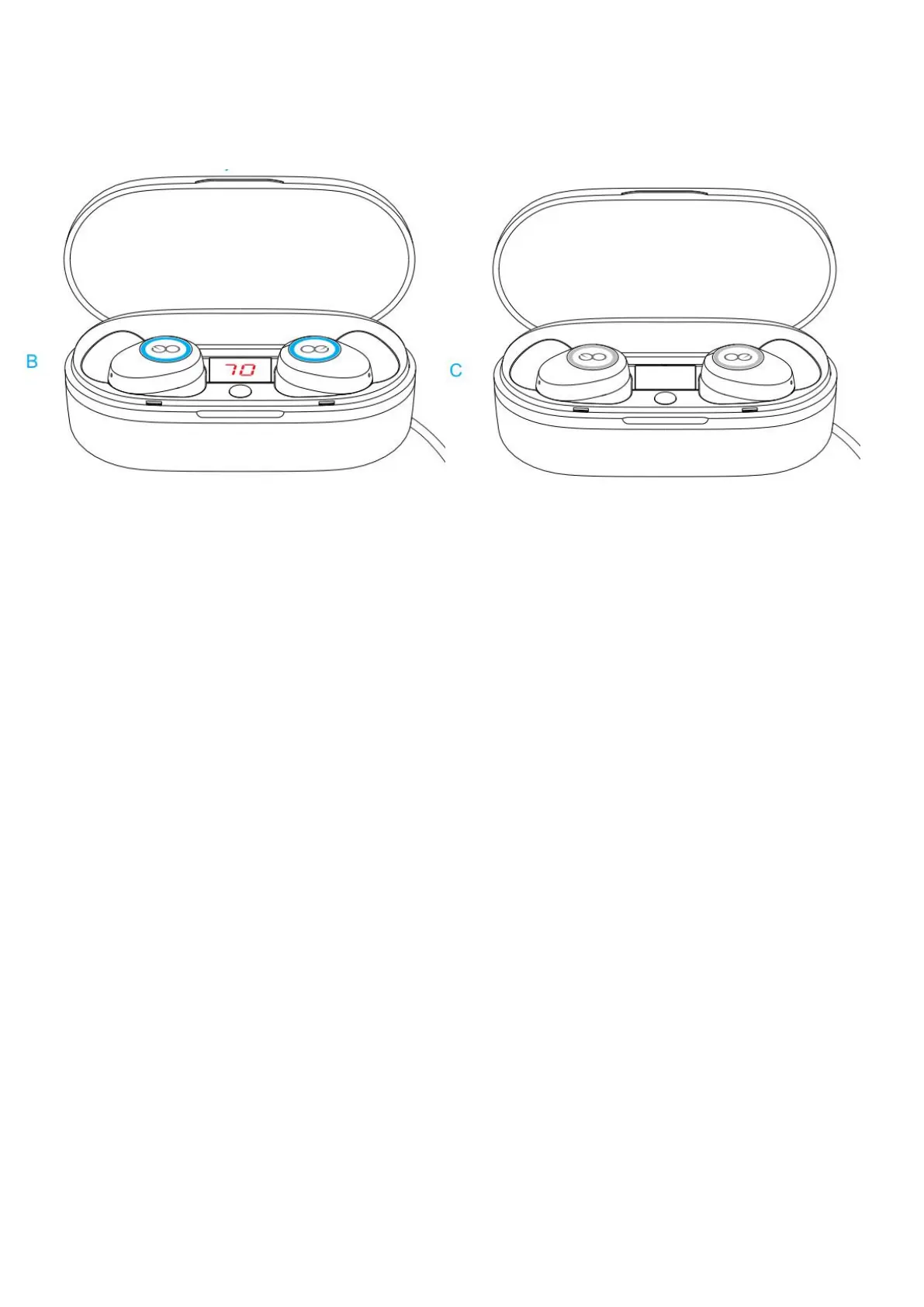
3.When you see the Twins Earbuds Led lights are from Red to Blue, it shows the twins
Earbuds are fully charged(Check photo B).And after 1 minutes, the blue light will
disappear(Check Photo C).
Note: If you do not use the headset for a long time, please charge the twins
earbuds and the charging box at least once every 3 months.Please disconnect the
charger in time after the charging box is fully charged.
How to Switch On/Off the Earbuds?
Turn on: Open the lid of the charging case, take out the twins earbuds from the charging
case, the twins earbuds will turn on and connect with each other automatically
Turn off:
Method1: Put the twins earbuds back into the charging case (The First way)
Method2: When the twins earbuds are being used,hold down the earbuds MFB for 3
seconds(The Second way).(the earbuds led light will be red for 1 second)
Note: When Earbuds are successfully paired with your device, if one Earbud is turned off,
the other one will turn off at the same time.


 To Next Page