4 Moun
ting
4.1 Instructions for installation
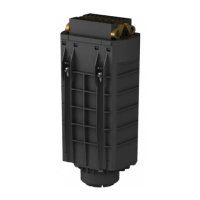
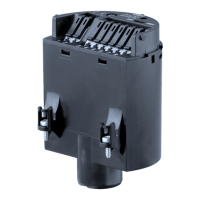
If the electronics module is defective, it can be replaced by the user.
In Ex
applications only one instrument and one electronics module with
respective Ex approval may be used.
4.2 Mounting preparations
In general, all electronics modules of series CP60 can be inter-
changed. If you want to use an electronics module with a different
signal output, you can download the corresponding operating
instructions manual from our homepage under Downloads.
4.3 Mounting steps
To exchange the electronics module, proceed as follows:
1 Switch off power supply
2 Unscrew the housing cover
3 Lift the opening levers of the terminals with a screwdriver
4 Pull the connection cables out of the terminals
5 Loosen the two screws with a screw driver (Torx size T10 or slot 4)
Fig. 1: Loosening
the holding screws
1 Electronics module
2 Screws (2 pcs.)
6 Pull out the old electronics module
7 Compare the new electronics module with the old one. The type
label of the electronics module must correspond to that of the old
electronics module. This applies particularly to instruments used in
hazardous areas.
Mounting steps
6 E
lectronics module • VEGACAP series 60
4 M
ounting
30174-EN-120124


 To Next Page
 Loading...