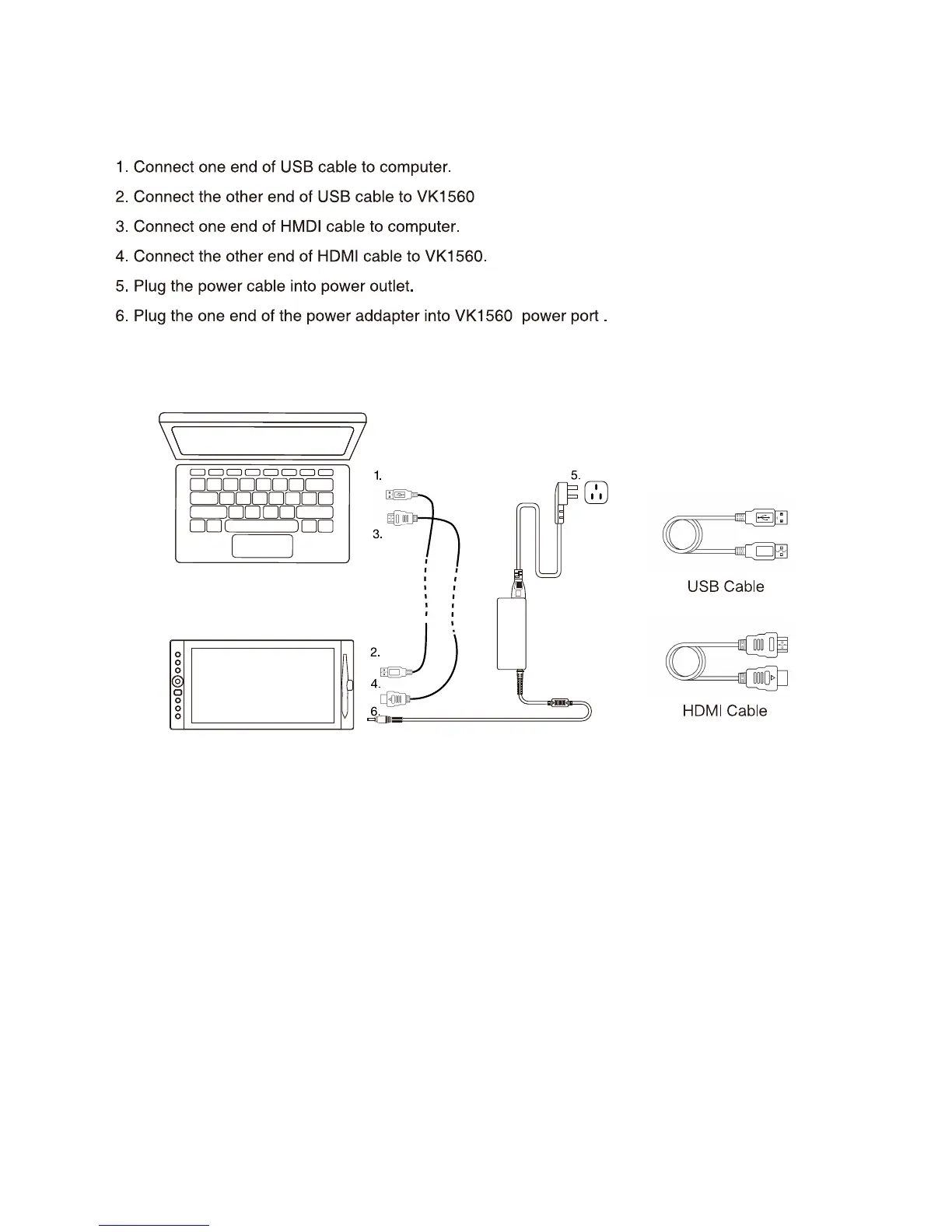
1.4 Display Connection
Note 1:WerecommendyouinserttheVEIKKUSBcabletothehostUSBportofyourcomputer. You
mayuseaUSBhubwithanattachedexternalpowersupplytoadequatelypoweryourVEIKKifneeded.
Note 2:Makesureyourcomputersupportsmultiplemonitors.CheckifyourcomputerhasextraHDMI
ports.Ifyourcomputerhasanindependentvideocard, pleaseusetheHDMIportsthere.
Note 3:Ifthere isn’t any input signal,itmeansthetabletdoesn’t receiveHDMIvideoinput.Please
reconnect the HDMI cable, or change another HDMI cable or change another computer to have a try.
2


 To Next Page