80
81
Owner’s Manual
36V
MODELS BC48/48V
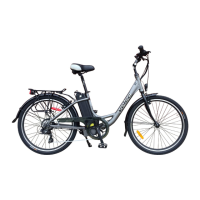
To turn on the electric Velec BC48, insert the key in the position A, turn key
clockwise to position B to lock the battery to the bicycle, and turn the key
further clockwise to position C to activate the battery press the ON/OFF
button on the Control Panel. (D)
Key at position A
Battery unlocked
Key at position C
Battery activated and locked
Key at position B
Battery locked
–/O button on Control Panel D
There are 4 lights on the top of the battery next to the red Button. The first
light is red and will glow only if the battery is discharged; the other 3 lights
are green and indicate the charge level: 3 lights lit indicate a approximate
100% charge; 2 lights lit indicate a level of charge of about 55%; only one
light glowing indicates a charge level of approximately 25%.
The battery’s charge level is visible on the Control Panel.
Red button on battery Battery Charge Level
on Control Panel
Battery Level
Assistance Level
Buttons
Cruise Control
* May differ from photograph
* May differ from photograph
LCD control panel (optional)



 To Next Page