DVM8855
02/03/2009 © 2008 Velleman Components nv
24
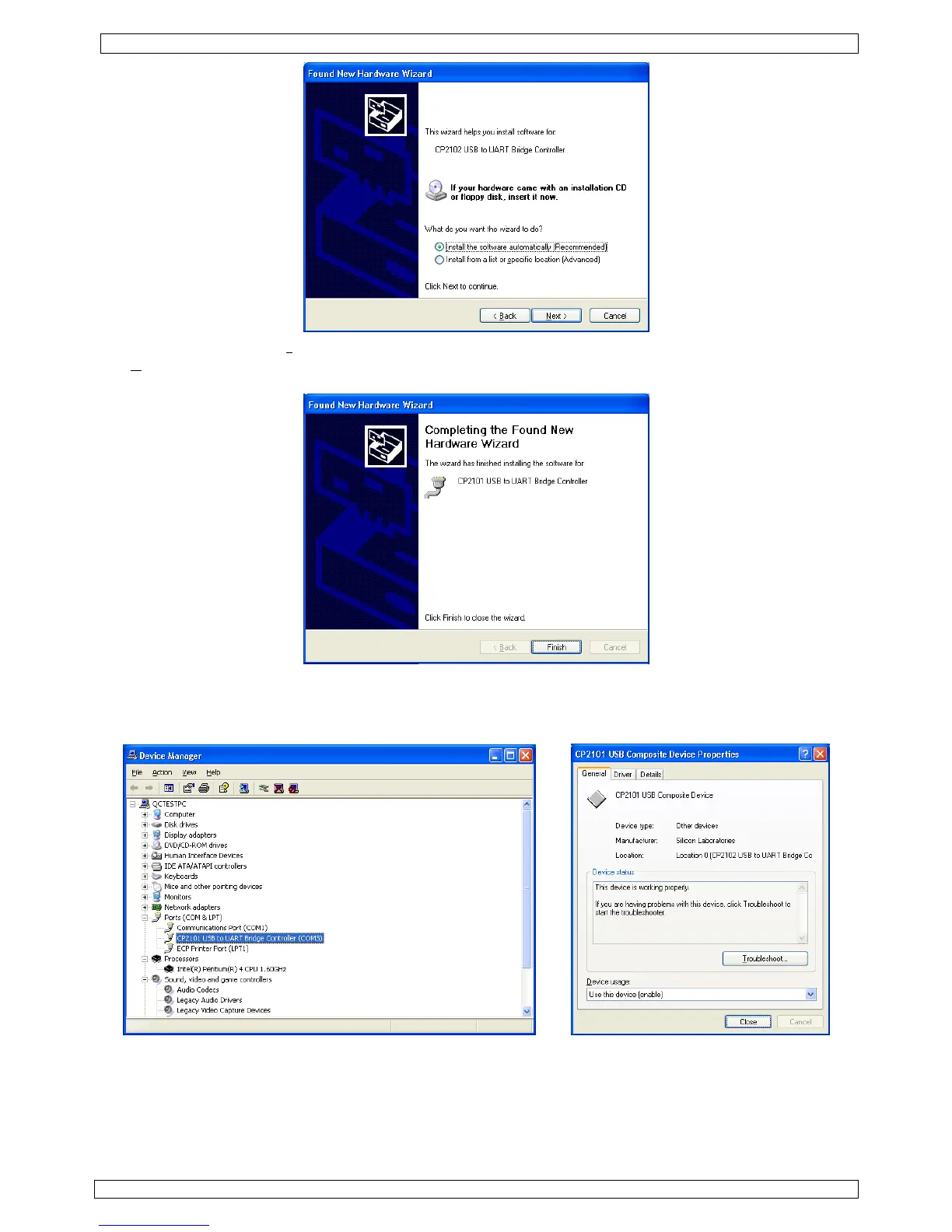
• Sélectionner l’option « I
nstall the software automatically (Recommended) » et cliquer sur
« N
ext > ».
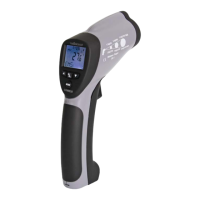
• La fenêtre « Completing the Found New Hardware Wizard » surgit. Cliquer sur « Finish ».
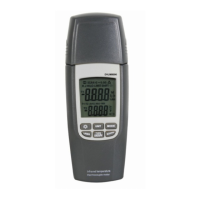
• Vérifier l’installation du pilote dans le gestionnaire du matériel. Ouvrir « My Computer » –
« System Properties » – onglet « Hardware » et cliquer sur « Device Manager ». Cliquer double sur
« CP2102 USB to UART Bridge Controller » sous « Ports (COM & LPT) ». Le port COM assigné au
périphérique (COMx entre parenthèses) vous servira pour configurer le logiciel.


 To Next Page