DVM8855
02/03/2009 © 2008 Velleman Components nv
7
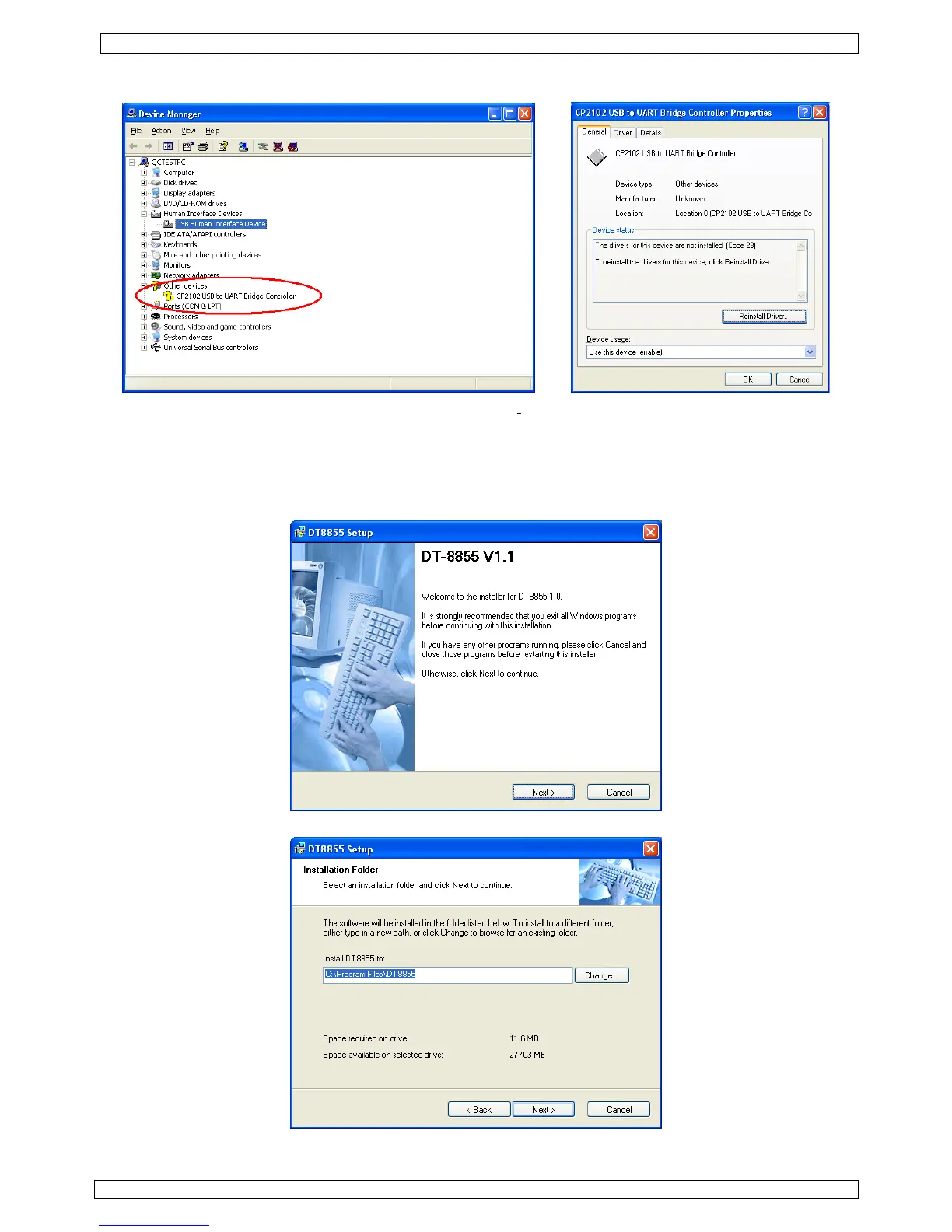
• If the driver is not installed correctly, device manager shows a yellow exclamation mark in front of
the device name.
• Double click (left) on the device name and click on ‘Rei
nstall Driver…’ or go to the ‘Driver’-tab to
uninstall the driver. The driver can be found on the included CD-ROM (CP2101WIN under DT-
8855).
Software installation
• Insert the included CD-ROM into the CD-drive of the PC. Locate the file ‘DT8855.exe’ under the
‘DT-8855’ directory and double click (left) on it to start the installation.
• Click on ‘Next >’ and in the next screen, choose a destination folder for the software.
• In the following screen, click ‘Next >’.


 To Next Page