Need help?
Do you have a question about the Velleman HPG1 and is the answer not in the manual?
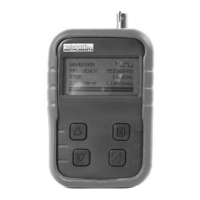
Displays signal parameters, menus, and settings on the device screen.
Buttons used for menu selection, adjustment, and navigation.
Visual indicator showing the current output signal level.
On/Off switch, DC input, and BNC signal output connector.
LED light indicating battery charging status.
Port intended for service technicians only.
Details on charging options and the charge LED indicator.
Configure language, display, frequency change, and DEMO mode.
Select waveform type, frequency, step, and output level.
Set sweep start/stop frequency, step, speed, and loop function.
 General
| Input voltage | 12 VDC |
|---|---|
| Output voltage | 230 VAC |
| Output waveform | Modified sine wave |
| Output frequency | 50 Hz |
| USB output | 5V DC, 2.1A |
| Efficiency | 85% |
| Protection | Overload, short circuit, over temperature, low voltage, high voltage |
| Cooling | Fan cooled |

 To Next Page