- 7 -
Charging the generator
There are several charging options:
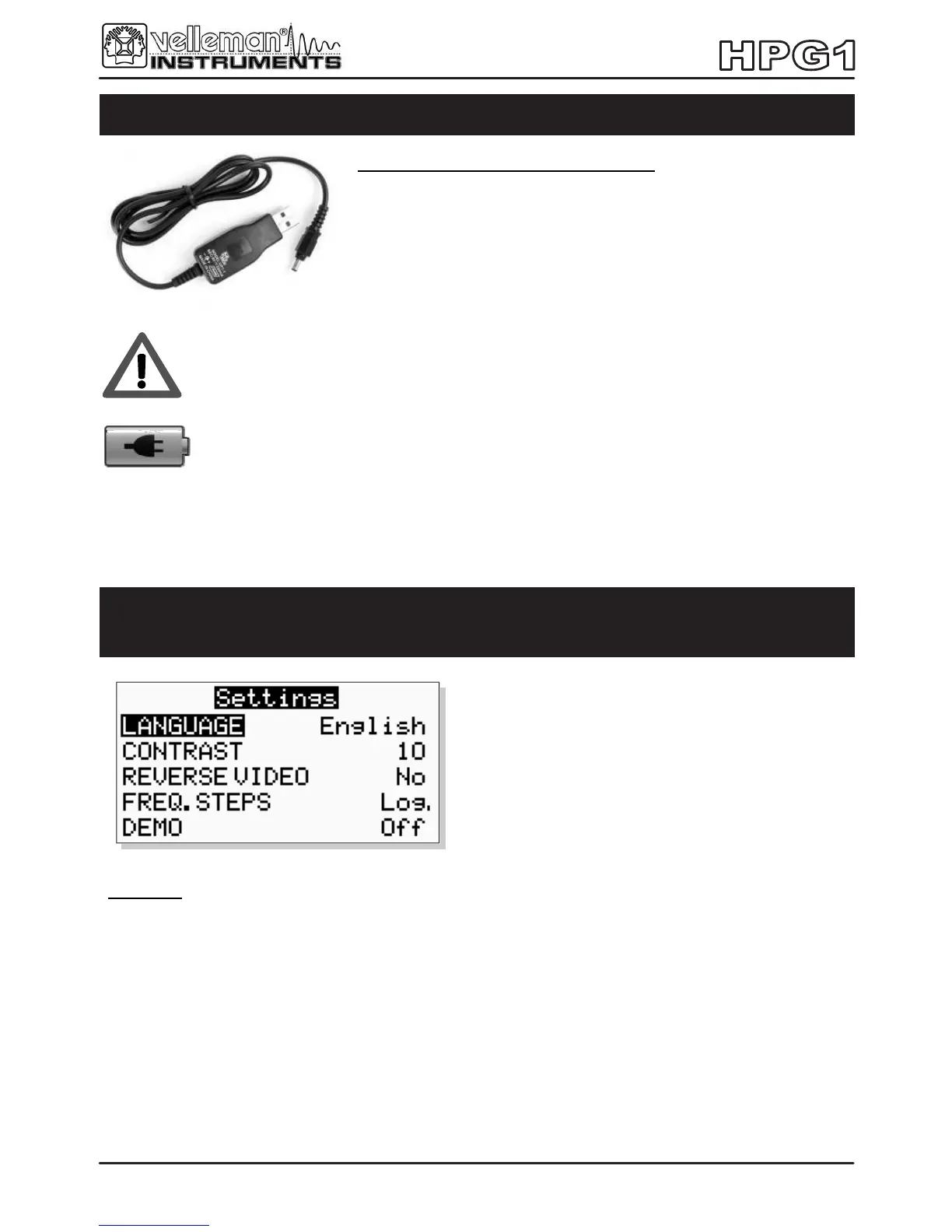
Use the included USB charger, plugged into a computer USB
port, a mains to USB adaptor, a car 12V to USB adaptor or any
USB type socket that can supply 5V/500mA.
For use during charging, it is strongly advised to use a 9Vdc/min 200mA mains
adaptor.
Charging of completely drained batteries can take up to 7 hours. The charge LED
indicator will light while the generator is charging.
Note: The charge LED will remain on as long as the charger is plugged in.
You can:
• Change the user interface language
• Adjust the display contrast or reverse the display (black with white dots)
• Change the way the frequency is changed if you keep the up/down button pressed ( Log. will make
the frequency change faster).
• Start or Stop the DEMO mode
(useful for demonstration or testing)
• Press and hold the setting button 4 to leave the menu and store the settings
Function generator set-up
Access the set-up menu by keeping the settings button 4 pressed


 To Next Page