5
VM130USER MANUAL
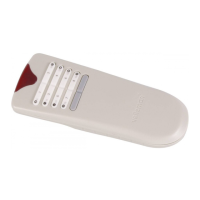
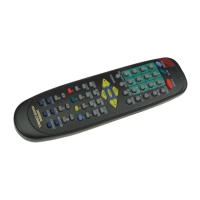
Each transmitter generates a code that must be “known” by a receiver in order to operate.
Proceed to the next step to store one or more transmitters in the receiver memory.
To learn a remote:
If neccesary repeat steps 2 to 5 to learn the codes for other transmitters.
u 31 transmitters can be stored. If memory is full, ’MODE’ and ’CONFIRM’ will ash simul-
taneously when ‘setup’ button is pressed (see also next page to erase the memory).
The relay outputs can be set to different modes, from a simple on/of contact to a short or
long timer.
Conguration of channel 1 ‘CH1’ and channel 2 ‘CH2’:
( Factory defaults: CH1: 1h timer, CH2: 0.5s pulse)
If necessary, repeat steps 2 to 5 for the remaining channel.
u The unit returns to normal operation when left idle for 10s.
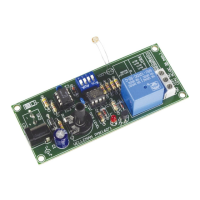
1. Connect the power supply to the receiver unit (see page 2).
2. Push ‘setup’-button repeatedly to select CH1 (left) or CH2 (right) output relay.
3. Conrm with a long push (‘CONFIRM’ ashes 3 times). The selected relay will re-
main ON.
4. Push ‘setup’-button a number of times, depending on the desired mode (see table).
At each press, ‘MODE’ will ash a number of times, indicating the current mode
5. Conrm with a long push (‘CONFIRM’ ashes 3 times).
The selected channel will turn off and the unit is ready for use.
Changing the code:
1. Hold SW1 (left button).
2. Briey press the ‘program’-button (SW3) 3 times. The LED will ash 3 times.
3. Release SW1.
4. Your unique 32-bit code has been generated and stored.
Return to the default code:
1. Hold SW1 (left button).
2. Hold the ‘program’-button (SW3). After +/- 10s the led will ash 5 times.
3. Release both buttons.
4. Your code has been reset to the default code.
Receiver instructions
1. Connect the power supply to the receiver unit (see page 2)
2. Hold ‘setup’ button, ‘MODE’-led (8) turns on after a few seconds.
3. Press any remote control transmitter button.
4. ‘CONFIRM’-led (10) lights when the code has been grabbed.
5. Release ‘setup’ button.


 To Next Page
 Loading...