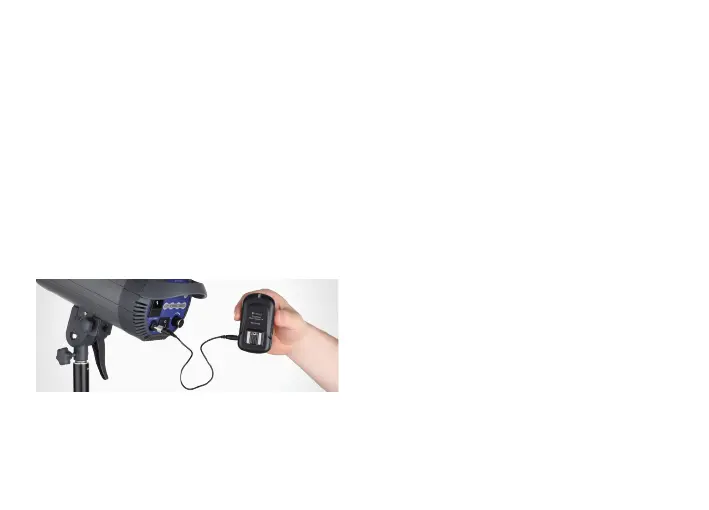
1. Turn o the Studio light and the
FreeWave Flash Trigger LR.
2. Using the included 3.5 mm sync cable,
attach one end to the receiver’s flash
socket and the other end to your
studio flash. For flashes with a 1/4"
monoplug socket, use the included
3.5 mm to 1/4" monoplug adapter.
3. Set the same channel on both
the transmitter and receiver.
4. Confirm that your camera, transmitter,
receiver, and studio flash are all powered on.
5. Fully press the shutter release button
on your camera. All lights connected
to receivers in the currently selected
channel will fire simultaneously.
6. The transmitter and receiver LED
confirmation lights will illuminate red.
NOTE: For studio flashes with household plugs, a
3.5 mm to household adapter is available separately.
NOTE: One transmitter will trigger multiple receivers
connected to dierent flashes as long as they are
on the same channel, or with the FreeWave Flash
Trigger LR Transmitter set to “ALL” channels.
CONNECTING THE RECEIVER TO A STUDIO FLASH
16



 To Next Page