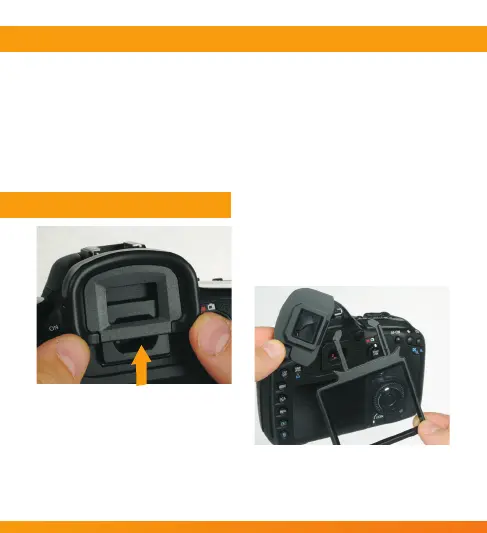
3. Separate the viewnder
protector and LCD screen
protector from each other.
2. Remove all protective lms and
foreign matters from the camera
and the LCD screen protector.
Use a nonabrasive, lint-free cloth
to wipe off any dust or smudges.
1. Remove the camera’s eye piece
by pushing it up, away from the
LCD screen.
INSTRUCTIONS
Thank you for selecting the Vello Snap-on LCD Screen Protector. The
Snap-on LCD Screen Protector protects against abrasions, scratches and
mild impacts. The multi-layered optical glass is engineered with the
highest standards in multi-reective coating to optimize full clarity. No
more permanent residue or image ghosting, always a high-denition image.
The Vello Snap-on LCD Screen Protector has been specically designed to
function and t the camera model listed.
INTRODUCTION



 To Next Page