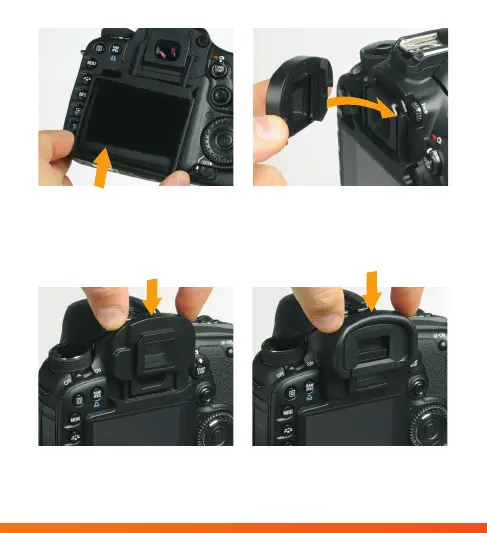
4. Align the grip hooks on the LCD
screen protector with the corres-
ponding tracks on the viewnder.
Install the LCD screen protector
by sliding it up, into position.
5. Align the guides on the
underside of the viewnder
protector with the correspond-
ing tracks on the camera body.
7. Replace the camera’s eye piece
by sliding it into position on the
viewnder protector.
6. Install the viewnder protector
by sliding it down, into place.



 To Next Page