3
Step 1 - PowerOCurrentSystem
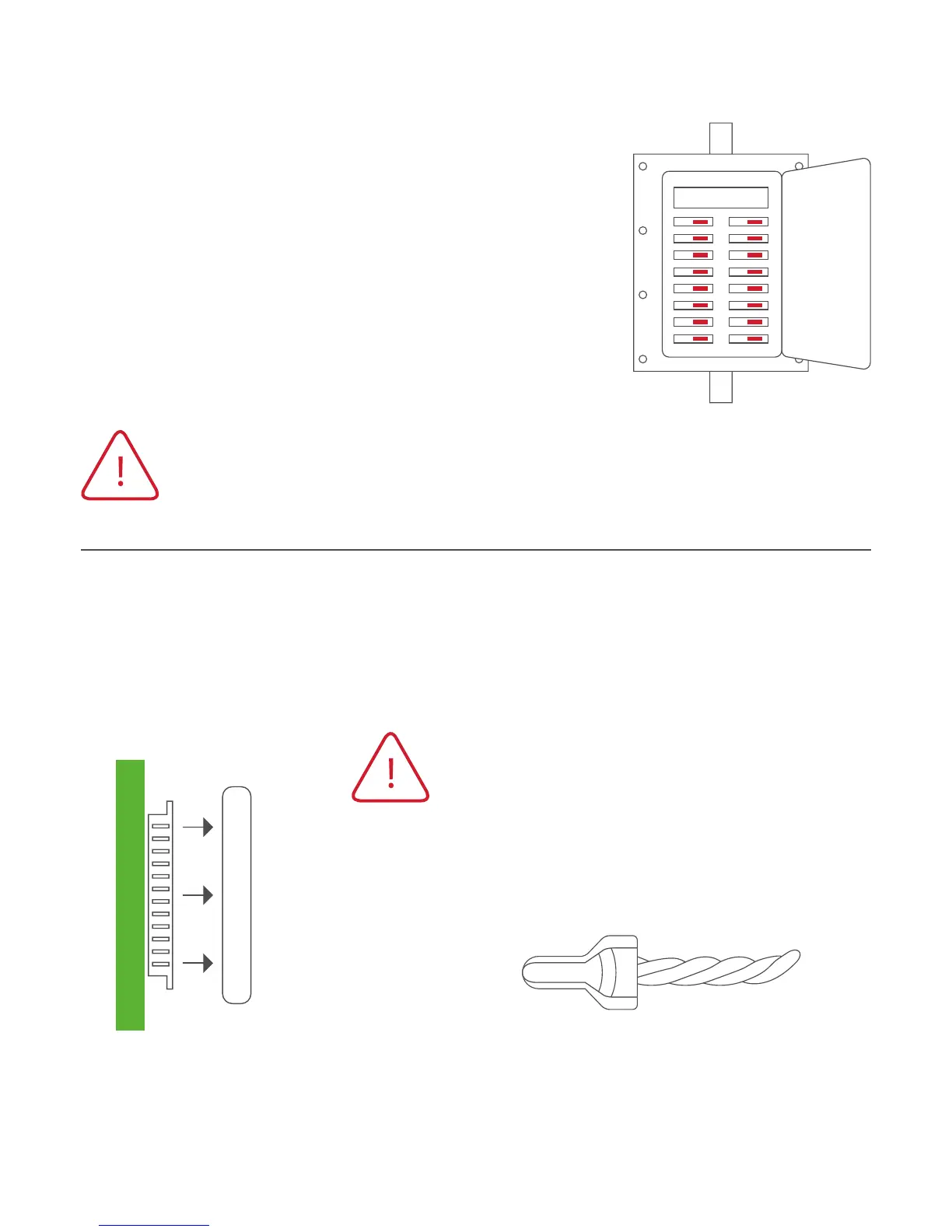
1) Gotoyourhome’scircuitbreakerpanel
and switch the furnace and air conditioner
breakerso.
2) Toconfirmpoweriso,adjustthe
temperature on your current thermostat.
If the system does not respond
accordingly, power has probably been
successfullyshuto.
WARNING: Failure to follow this step can result in personal
injuryand/ordeathfromshockandelectrocution.
Step 2 - Remove Faceplate
Removethefaceplateofcurrentsystem.Mostfaceplatessnap-oor
feature small screws that will need to be removed.
Side View
WARNING: If you see large thick
electrical wires, wire nuts, or if your
systemislabeled120Vor240VDO
NOTPROCEED.THISTHERMOSTAT
ISNOTCOMPATIBLEWITHTHESE
SYSTEMS
WARNING: Failure to follow this step
canresultinpersonalinjuryand/or
death from shock and electrocution.








 To Next Page