EN 29
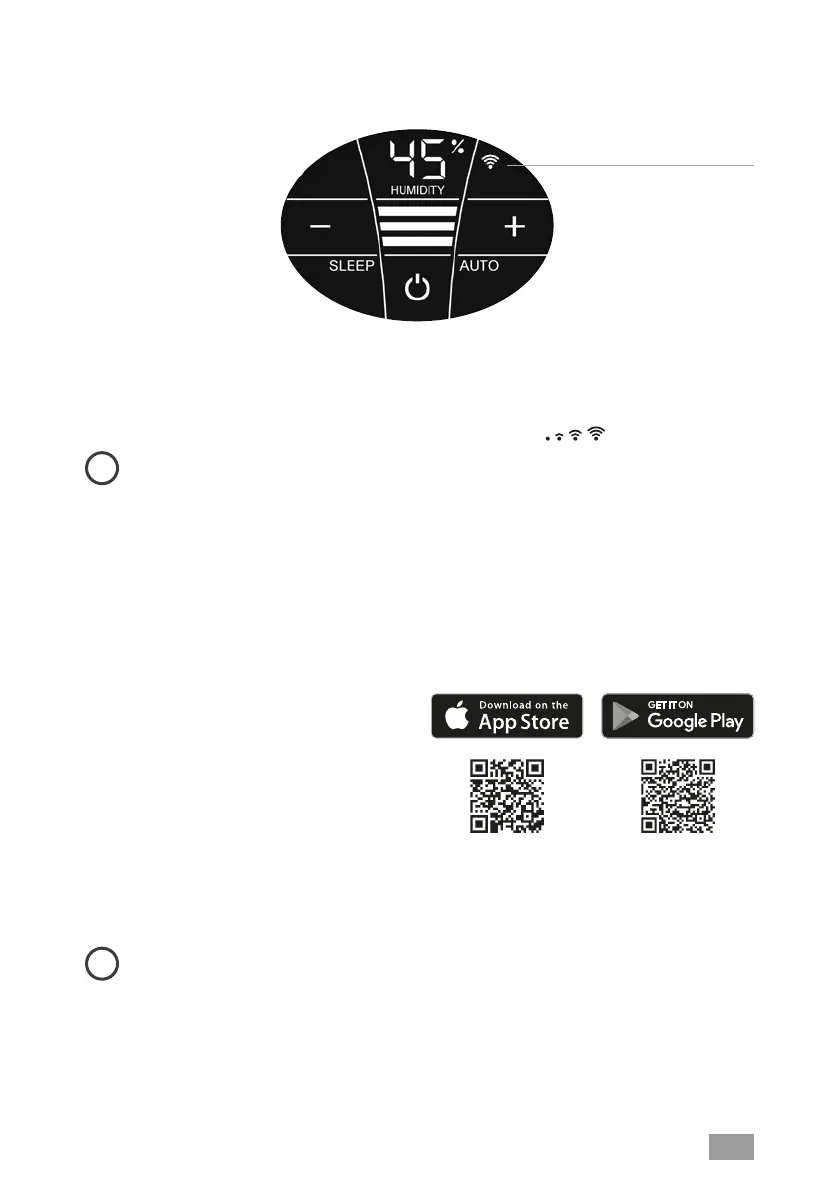
1. Activate the hotspot mode on the Venta appliance
To do this, the four individual segments of the WiFi symbol in the appliance
display must light up consecutively from bottom to top
.
i
This mode is automatically activated the first time the appliance is oper-
ated.
The hotspot mode can be activated any time by touching and holding the
WiFi symbol for 3 sec.
2. Activate WLAN on smartphone or tablet
Make sure that your smartphone or tablet is connected to your WLAN home
network.
3. Download the VENTA app or
install and open it
You can easily operate your Venta ap-
pliance remotely plus use and monitor
extra appliance functions with the free
Venta app.
4. Set up the WiFi function using the VENTA app
Now please follow the instructions on the screen of your smartphone or
tablet.
i
If problems occur during the WiFi setup, please read the section, “What
happens if a WiFi connection can’t be established?“.
Further information at www.venta-air.com/en_gb/Service/Venta-Home-App/
WiFi
CONFIGURATION & VENTA APP


 To Next Page