Reminder/Interval Actions
A FILL TANK Water tank empty, fill with fresh water.
Yellow: Humidification is still taking place.
Red: No humidification is taking place.
CLEANING
appliance cleaner. Start the cleaning program by tapping the
CLEANING button on the display, then follow the instructions.
i
After 6 months (of continuous 24-hour operation), the
maintenance button lights up in red and indicates that this
action is necessary.
A
B
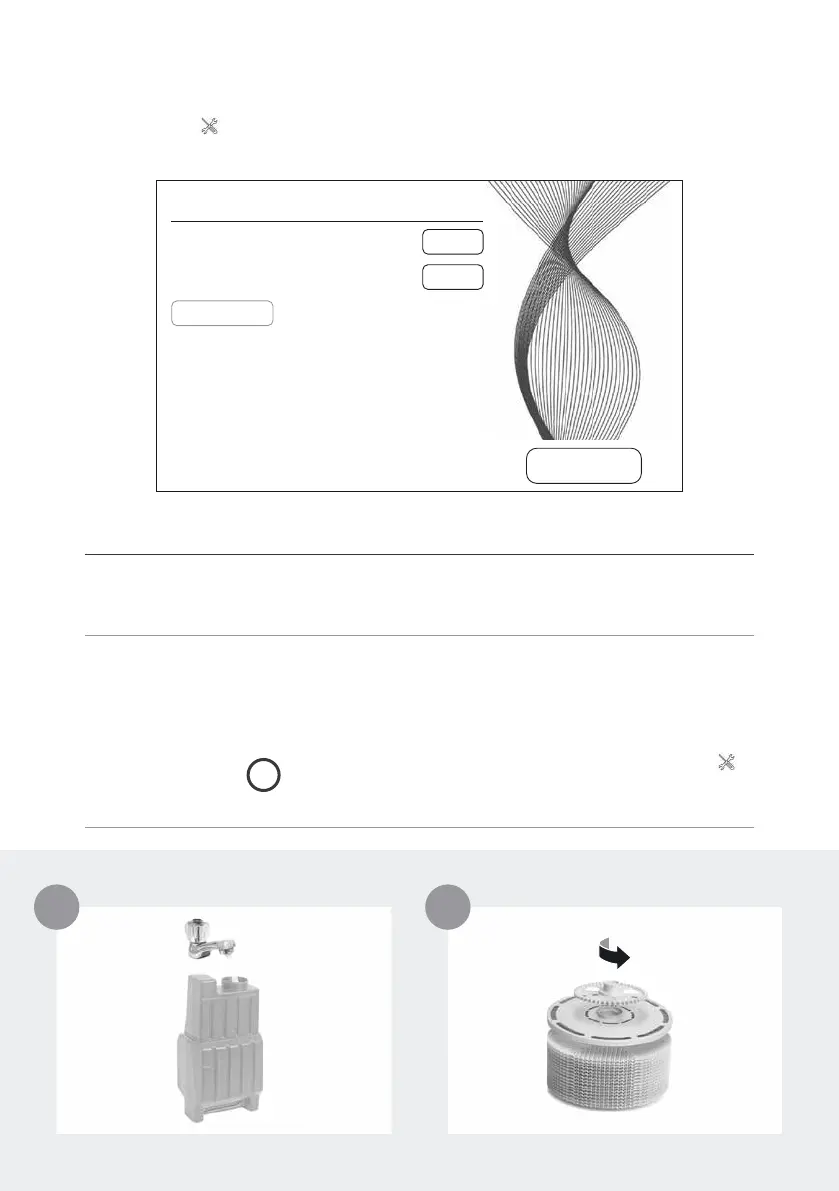
CLEANING & MAINTENANCE
Tap button 10
on the display to see information about maintenance. Red light
indicates that this type of maintenance is due.
EXIT
MAINTENANCE
CHANGE HYGIENE DISC: 91 DAYS
SERVICE: 14 DAYS
0 DAYS
FILL TANK CLOSE DOOR
RESET
RESET
CLEANING


 To Next Page