EN24
DISPLAYS, FUNCTIONS
& SETTINGS
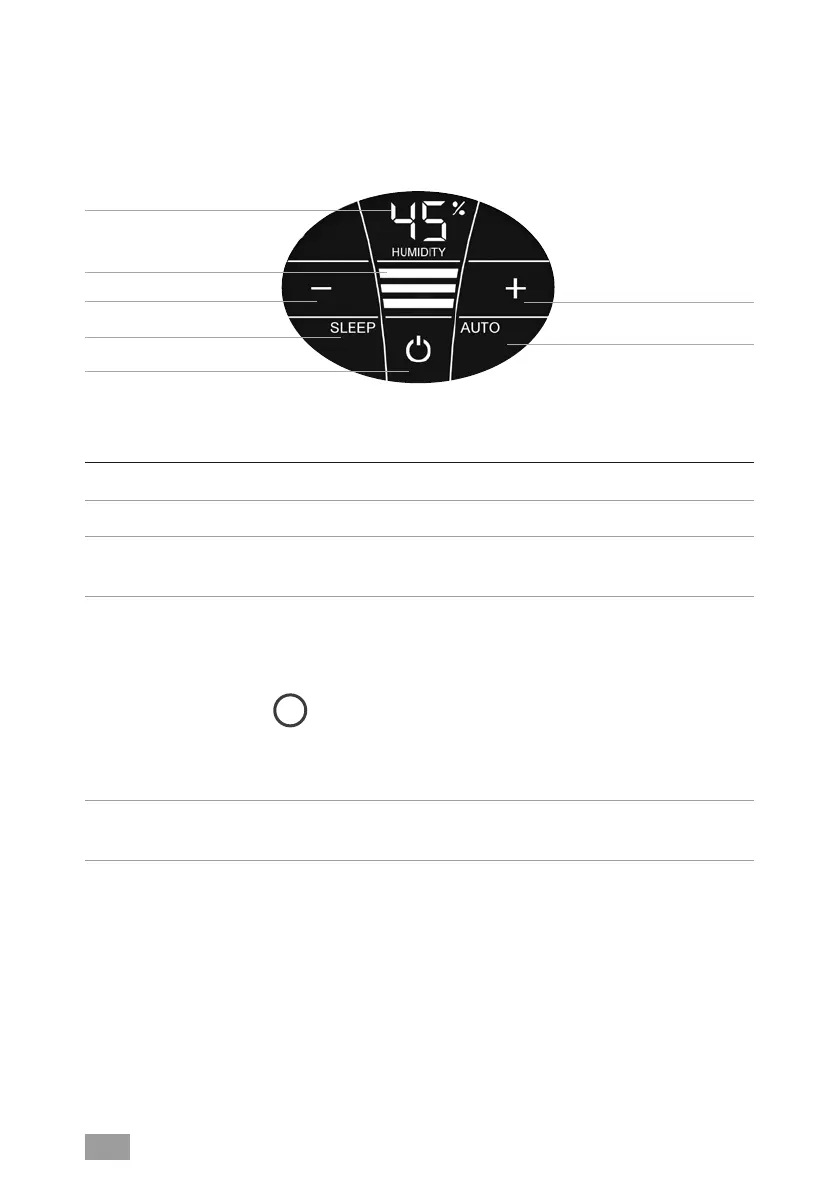
Display Function
1 Humidity Display the humidity
2 Power level Display speeds 1 - 2 - 3.
3 - and + Set the power level by tapping:
- reduces and + increases the speed.
4 SLEEP Tap to turn the sleep mode on or off.
ON: The appliance dims the display lighting and reduces
the power level to 1.
i
Power level 2 can be changed manually with the + or
- button 3. Automatic mode 6 is not possible.
OFF: Bright display illumination and appliance runs in
power levels 1 – 3.
5
Switch the appliance on or off by tapping the power
button.
1
2
3
4
5
3
6


 To Next Page
 Loading...