9
www.ventilation-system.com
CONTROLLER FUNCTIONS AND MENU
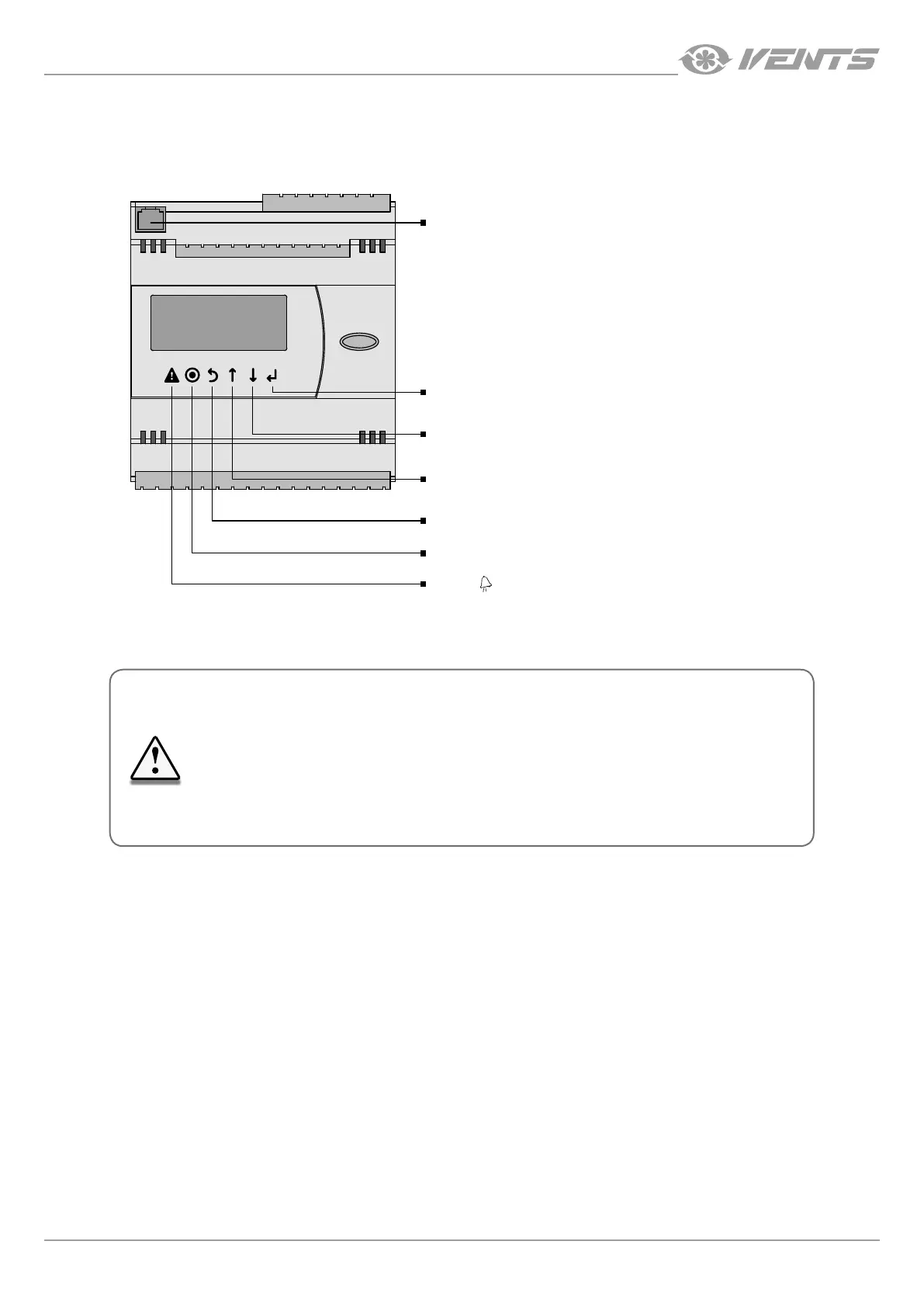
The controller has the following controls and indicators:
• Backlit LCD display. The display screen shows the current parameters of the system operation, temperature values, pre-set
parameters and alarms.
• Buttons: control elements for operation of the controller.
6P6C telephone connector
The 6P6C connector (PLUG-6P6C-P-C2) is designed for connection of
the pGD1 control panel using the telephone cable.
Enter
Entering a parameter editing mode, saving an edited
parameter and moving within the list of functions.
Down
Button for navigating one level down or decreasing
the selected parameter's value.
Up
Navigating one level up or increasing
the selected parameter's value.
Cancel (Esc)
Button for cancelling the parameter edits and exiting the submenu.
Parameters (Prg)
Access to the additional options menu.
Alarms ( )
Access to the alarm view and reset menu.
THE SERVICE SETTINGS ARE PROGRAMMED AT THE FACTORY.
THESE SETTINGS MAY BE CHANGED ONLY BY QUALIFIED SPECIALISTS
UPON ENTERING THE SERVICE PASSWORD.
CHANGING OTHER PARAMETERS DOES NOT REQUIRE A SERVICE PASS
WORD.



 To Next Page