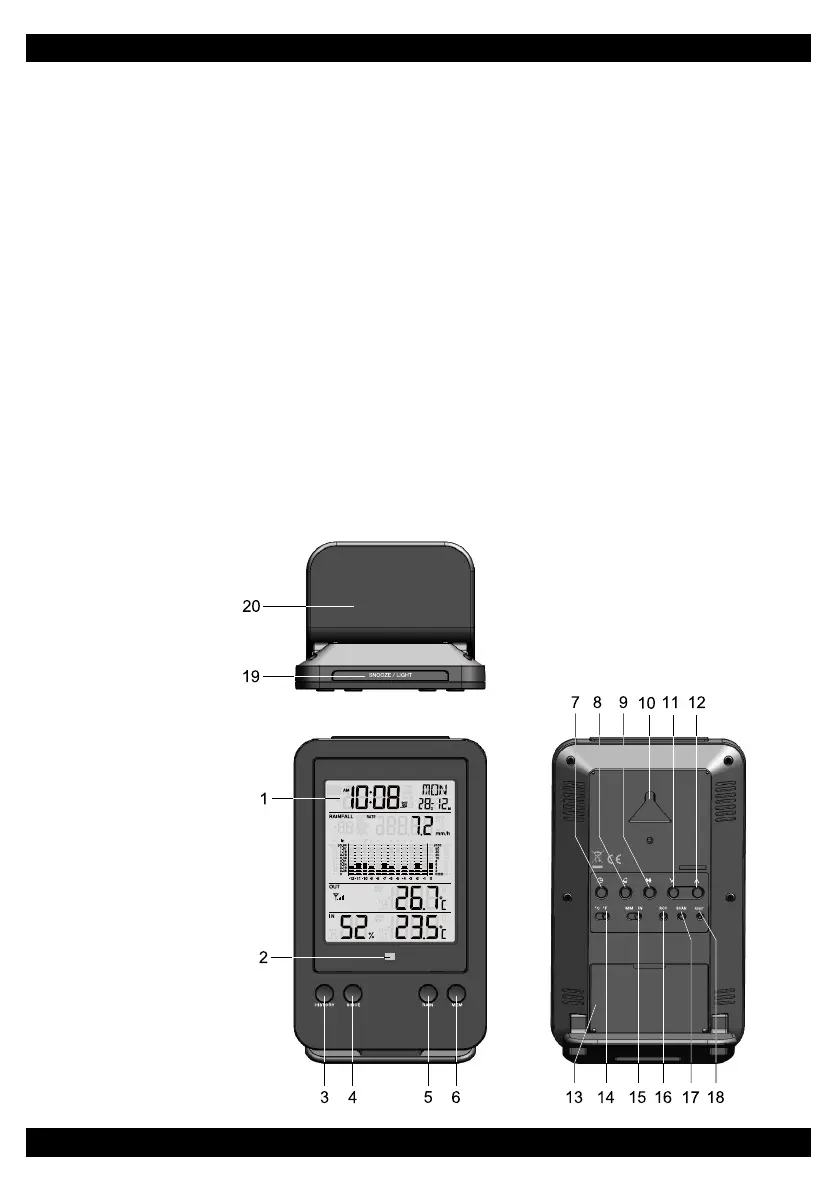
2. Alert indicator: blinking with alert alarm is on
3. [ HISTORY ]: toggle to display rainfall in the past hour, day, week, month or year
4. [ TOTAL ]: display total rainfall and the start day; hold to clear previous rainfall start time and
reset the counter to start again
5. [ RAIN ]: toggle display mode to rainfall rate, hourly, daily, weekly, monthly, and yearly rainfall
6. [ MEM ]: to show maximum and minimum records with time stamps for temperature, humidity
and rainfall
7. [ CLOCK ]: Press and hold to enter clock manual setting mode
8. [ ALARM ]: Press to on/off clock alarm or to enable or disable the hi/lo alert settings
9. [ ALERT ]: Press to review the hi/lo alert value
10. Wall mounting hole
11. [ DOWN ]: to decrease the current set value
12. [ UP ]: to increase the current set value
13. Battery compartment
14. °C/°F switch: change display in °C or °F
15. MM/IN switch: change to display in MM or IN
16. RCC button: press to enter RC reception mode
17. SCAN: press to search for the thermo-rain gauge sensor
18. RESET: restore factory settings
19. [SNOOZE/LIGHT]
20. Table stand
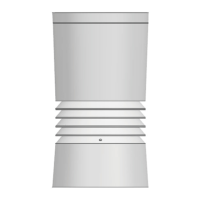
Wireless Rain Gauge Sensor
1. Radiation shield (Temperature sensor casing built inside)
2. Red LED indicator
3. Mounting base
4. Mounting claim
5. Rain collector
6. Drain holes
7. Tipping bucket
8. Rain sensor
9. [ RESET ] button
10. Battery door
LCD DISPLAY
Time and Calendar Display
1. SINCE icon: for total rainfall
2. HISTORY icon: for all past records
3. Time
4. DST icon: summer time
5. Ice pre-alert clock alarm
6. Day of the week
7. Alarm mode
8. Alarm icon
9. Calendar
3


 To Next Page