
 Need help?
Do you have a question about the Veon SRO6163 and is the answer not in the manual?
Details the 12 functions of the remote, including power, mode, volume, and playback controls.
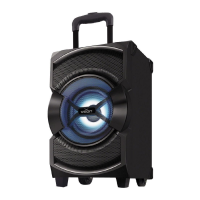
Key technical details of the party speaker, including output, power, input sensitivity, and power supply.
Important safety guidelines to prevent electric shock, fire hazards, and damage to the unit.
Welcome message, manual retention advice, and product characteristics.
Illustrates the physical connections required for the party speaker.
Explanation of the buttons and ports on the speaker's control panel.
Details the three methods for powering the speaker: AC, battery, and DC.
Instructions for charging the internal battery and important notes on battery life.
Advice on handling, environment, and maintenance to protect the unit.
Steps for pairing and playing audio via Bluetooth connection.
How to connect and play audio from external devices using the AUX input.
Guidance on installing batteries and operating the wireless microphone.
Tips for optimal microphone performance and important considerations.
Instructions for playing MP3 files from USB drives and Micro SD cards.
How to select and scan FM radio stations.

 To Next Page
 General