Advanced Z-Wave Functions
These Advanced Z-Wave Functions are usually needed only for
specic (and rare) technical situations, or for professional installers
creating very large systems, or for developers creating new hardware
or software.
You may need to access these advanced functions if there’s a problem
with your system and you need to reset the Z-Wave network, if you
want to upgrade to a dierent model of Vera Controller, to enable
another controller to operate your VeraSecure, or for other technical
situations as described below.
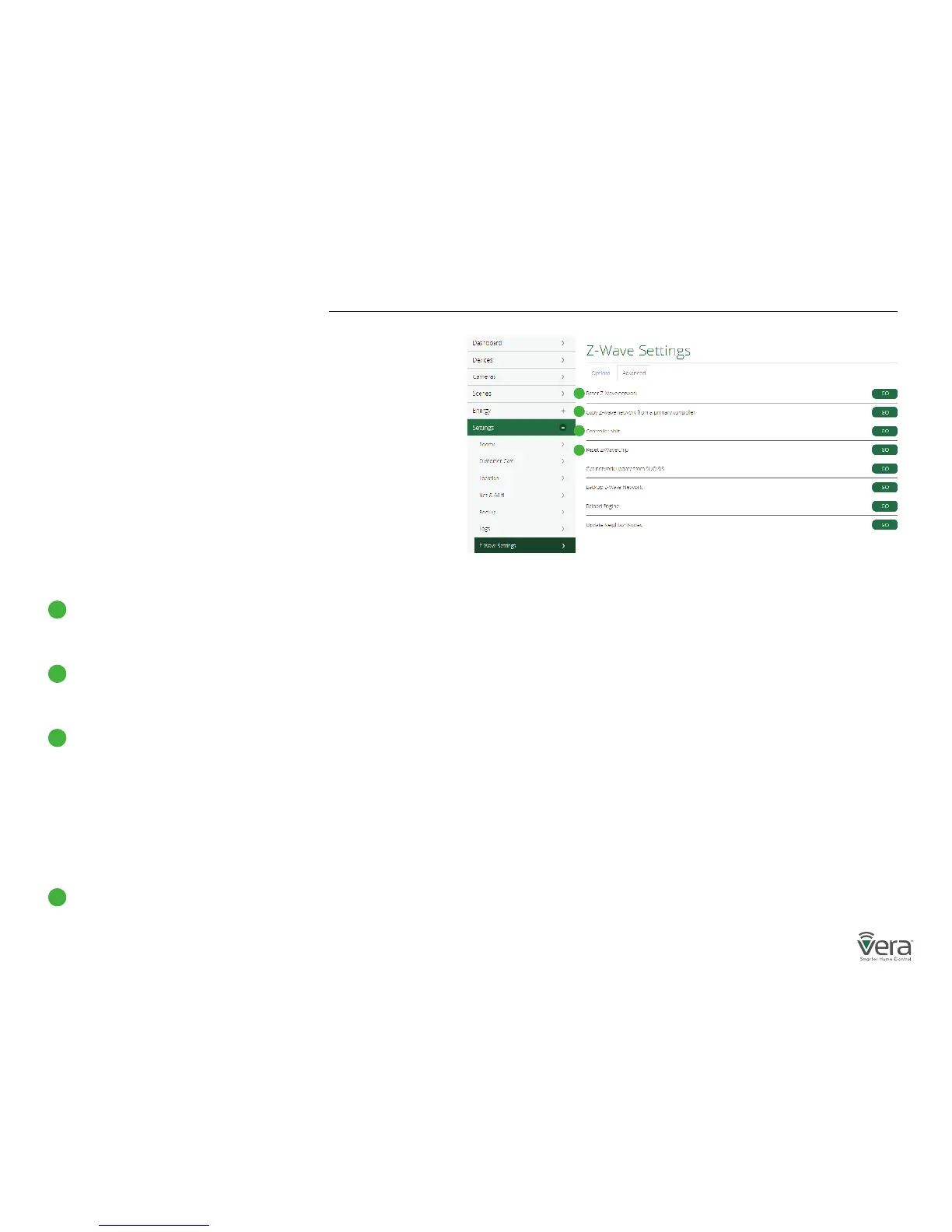
To access Advanced Z-Wave Functions select Settings and then
Z-Wave Settings. Select the Advanced tab (Figure 3-1).
From there you’ll be able to access these Advanced Z-Wave options:
Reset Z-Wave network
Will clear all the user conguration data and assign a new
Z-Wave HouseID.
Copy Z-Wave network from a primary controller
Will allow the unit to copy all Z-Wave related information from
a Primary Z-Wave Controller and is used with Replication.
Controller shift
Tells Vera to transfer the role of primary controller to another
Z-Wave controller. The other Z-Wave controller will become the
‘Master controller’, and Vera will be a secondary controller. This
means the other Z-Wave controller will then be responsible
for healing the networking and being the SIS/SUC (a technical
Z-Wave term). Normally, by default, Vera is the master controller
and is SIS/SUC.
Reset the Z-Wave chip
This option will re-initialize the Z-Wave chip.
A
A
B
B
C
D
C
Figure 3-1: Advanced Tab
D


 To Next Page