Advanced Z-Wave Functions
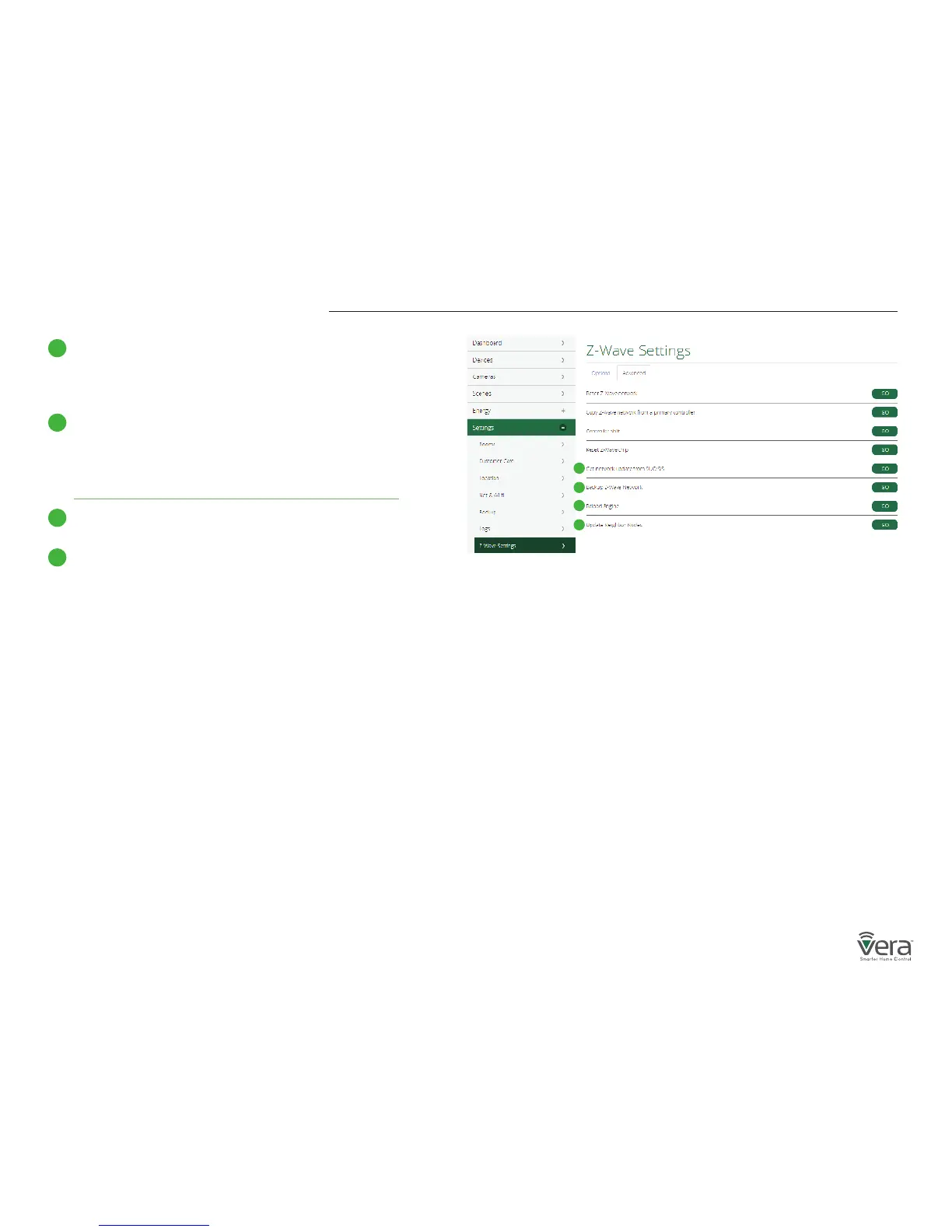
Get network update from SUC/SIS
This option will update the slave controller network from the
primary controller to which it’s currently added. This option is
used when Vera is a secondary controller.
Backup Z-Wave Network
VeraSecure has the ability to back up its Z-Wave network and its
conguration settings to be restored on another gateway.
This procedure is explained on the page below:
http://support.getvera.com/customer/portal/articles/2345058
Reload Engine
Reloads the Lua engine.
Update Neighbor Nodes
This forces the controller to do a node neighbor update over
Z-Wave for all the nodes in the network.
Learn Mode
Include your controller into an existing Z-Wave network.
Steps for VeraSecure controller using the web interface.
Click on Settings > Z-Wave Settings > Advanced > Select
‘Copy Z-Wave network from a primary controller’
This will put the controller into learn mode and shift it to
a secondary role. The controller can now receive data from a
primary device in the network and associate with other devices
in the Z-Wave network via the primary controller.
Replication
Include another controller and transfer the Z-Wave network
data to it. Steps for VeraSecure controller using the web
interface.
Click on Settings > Z-Wave Settings > Advanced > Select ‘Controller Shift’
All the Z-Wave devices will be replicated into the new controller.
This is used to transfer data from one controller to another.
With replication the new controller becomes primary.
E
E
F
G
H
F
Figure 3-1: Advanced Tab
G
H


 To Next Page