
 Need help?
Do you have a question about the Vera Control VeraSecure and is the answer not in the manual?
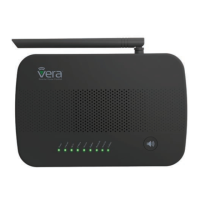
Lists the hardware features of the VeraSecure controller, including audio, siren, and battery backup.
Identifies and explains the function of each LED indicator on the VeraSecure controller.
Details security devices that monitor your home, reporting breaches when the system is armed.
Describes the powerful Modes feature allowing control of all devices simultaneously based on Home, Away, Night, or Vacation settings.
Explains the Current Status Card for a quick overview of the Vera system's overall status.
Details the ability to manage multiple users with distinct usernames, passwords, permissions, and notifications.
Outlines how the Vera system provides alerts via text or email for various system events.
Explains how to use cell phone location to automatically control the system upon arrival or departure from home.
Provides manual instructions for initiating Z-Wave Include and Exclude modes using specific controller buttons.
Explains how to perform Network Defaults Reset and Factory Reset using the controller's Reset button.
Clears user configuration and assigns a new Z-Wave HouseID to reset the Z-Wave network.
Allows copying Z-Wave network information from a Primary Z-Wave Controller for replication purposes.
Transfers the primary controller role to another Z-Wave controller, making Vera a secondary controller.
Re-initializes the Z-Wave chip for troubleshooting or configuration reset.
Updates the slave controller network from the primary controller when Vera is acting as a secondary controller.
Enables backing up the Z-Wave network and configuration settings for restoration on another gateway.
Reloads the Lua engine, which is part of the controller's operational software.
Forces the controller to perform a node neighbor update over Z-Wave for all network nodes.
Explains Vera's control of the basic command class, which is not mapped to other Z-Wave command classes.
Details VeraSecure's support for the Lifeline association command class, including group ID and node count.
Explains how to send Z-Wave commands using the Vera API via HTTP requests with specified command classes.
Covers inclusion and operation in networks with devices from multiple manufacturers, where non-battery nodes act as repeaters.
 General
| Power Supply | AC Power Adapter |
|---|---|
| Backup Battery | Yes |
| Cellular Backup | No |
| Remote Access | Yes, via Vera mobile app |
| Voice Control | Amazon Alexa, Google Assistant |
| Protocols | Z-Wave, Wi-Fi, Ethernet |
| Connectivity | Wi-Fi, Z-Wave |
| Compatibility | Z-Wave devices |
| Z-Wave Frequency | 908.42 MHz |
| Siren | Yes |
| Security Features | Motion detection, door/window sensors |
| Product Type | Smart Home Security Hub |

 To Next Page