
 Need help?
Do you have a question about the Verbatim MediaShare Wireless Mini and is the answer not in the manual?
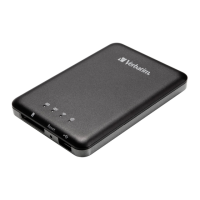
Connect to computer via USB for charging and data transfer.
Shows battery charge status: green for charging, red for low power.
Indicates Wi-Fi connection status and bridging.
Resets the device to factory default settings using a pin.
Turns the device on or switches to USB Card Reader mode.
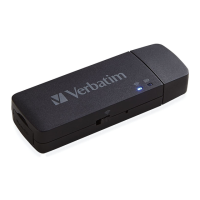
Slot for inserting microSD card for Wi-Fi access.
The Wi-Fi network name used for connection.
Equipment tested and found to comply with FCC rules for Class B digital devices.
Device complies with FCC SAR exposure limits for uncontrolled environments.
Device complies with Industry Canada's license-exempt RSSs.
Information on proper disposal of electronic and electrical waste equipment.
EC Declaration of Conformity for essential protection requirements.
 General
| Simultaneous Connections | up to 5 devices |
|---|---|
| Security | WPA/WPA2 |
| Charging Port | Micro USB |
| Wireless Standard | 802.11b/g/n |
| Compatibility | iOS, Android, Windows, Mac |
| Supported File Formats | JPEG, MP4, PDF, DOC, XLS |










 To Next Page